[How To] Norton Firewall Protection Mechanism and Wi-Fi Hotspot Connection Settings
Answer
Norton Firewall monitors and manages all inbound and outbound network traffic to block unauthorized access and network threats. Because Wi-Fi hotspots shared from mobile phones often have frequently changing IP addresses and are considered temporary networks, Norton may automatically classify them as high-risk networks and apply stricter restrictions. To maintain system security without affecting hotspot connectivity, refer to the following instructions to manually adjust the network security policy.
This article applies to all MSI laptop products.
Setup Steps
- Launch Norton antivirus software, then select "Device Security" > "Advanced Security" > "Network" in sequence, and open the "Smart Firewall" settings menu.
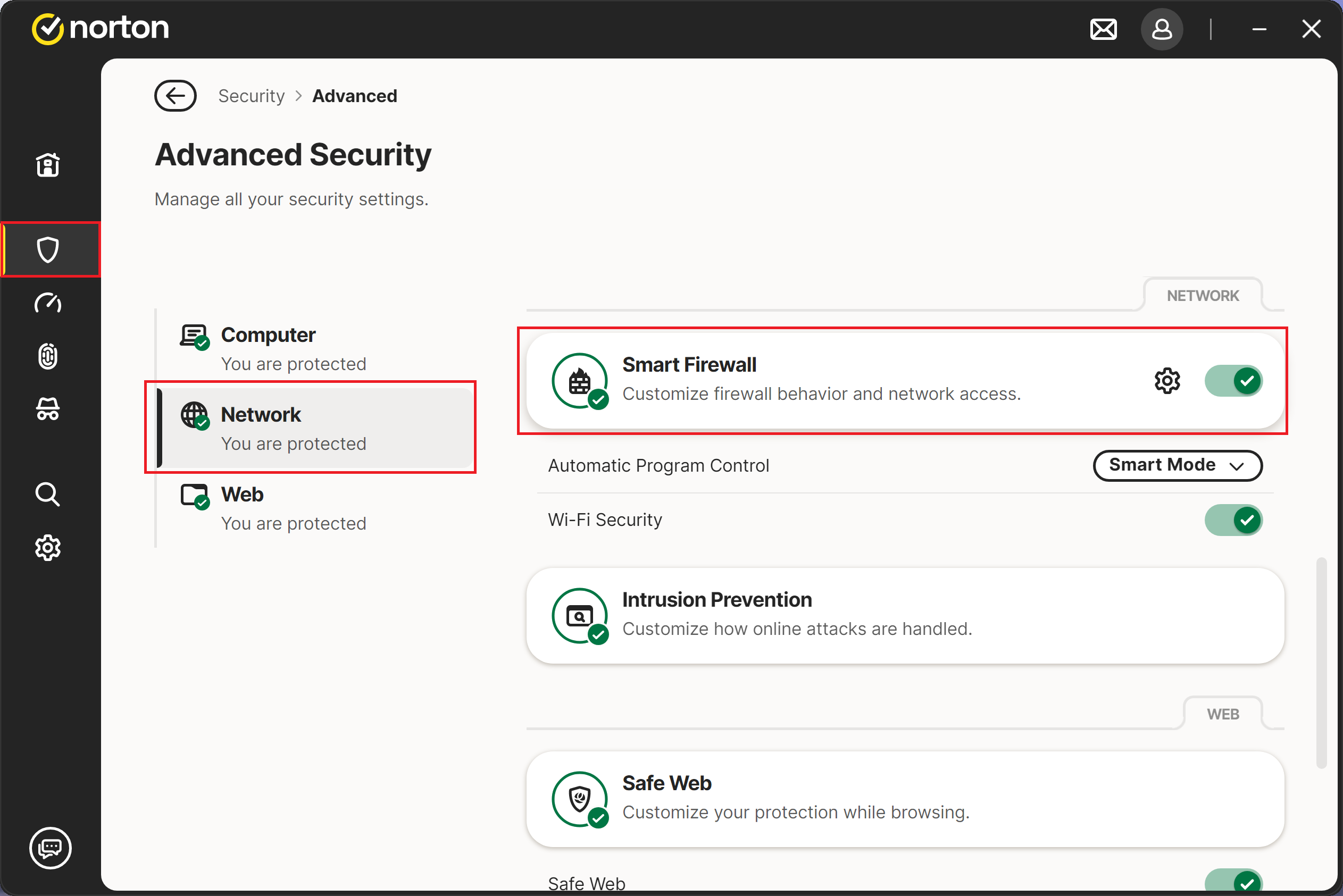
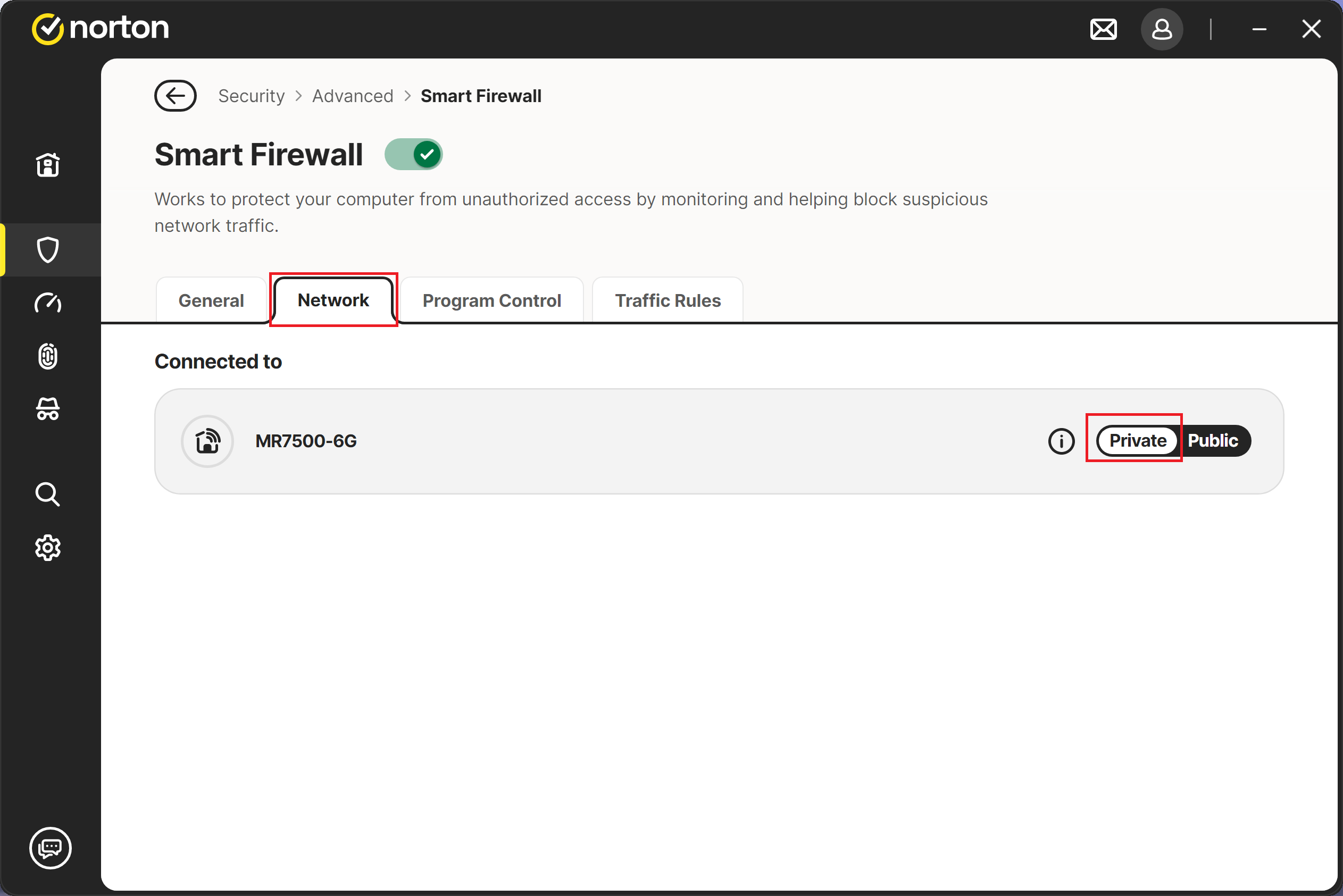
- In the network list, locate the hotspot of the currently connected external device, then manually change its network type from the default setting to "Private."
FAQ
Q: Why can my computer access the Internet normally when connected to my home Wi-Fi, but not when connected to a mobile hotspot?
A: This mainly occurs for users who have Norton antivirus software installed. Because a mobile hotspot differs from a fixed home network, Norton applies its default protection mechanisms to this type of more variable connection.
Q: What happens when a hotspot is identified as "High Risk"?
A: The firewall restricts data exchange on that network according to the security policy applied automatically. This may prevent web pages from opening, disconnect communication software, or prevent specific applications from accessing the Internet.
Q: How can I check which zone Norton has assigned to the current network?
A: Go to the "Network" tab in Norton's "Smart Firewall" settings menu. There, you can view all detected network names and their corresponding trust levels, such as Public, Private, or Restricted.
Q: Should I change every Wi-Fi network I have connected to to "Private"?
A: It is recommended to change a network to "Private" only after confirming that the network source is secure, such as your own mobile phone or a hotspot shared by someone you trust. For public Wi-Fi networks at airports or coffee shops, it is recommended to keep the stricter default protection settings.