[Troubleshooting] Unable to successfully install the Intel Dynamic Tuning driver
Answer
This applies to MSI notebooks equipped with the Intel Dynamic Tuning driver, and explains how to perform a clean installation by manually removing the device driver via Device Manager and then re-running the installation file. This resolves the abnormal condition where an unsuccessful Intel DTT driver installation results in a mismatch with the Intel IPF driver.
The steps for a clean installation of the Intel Dynamic Tuning and Intel IPF drivers are as follows:
1. Go to the MSI official website, enter your product model to search, and access the corresponding product support page
2. Under the Chipset category, locate and download the Intel IPF driver and the Intel Dynamic Tuning driver separately.
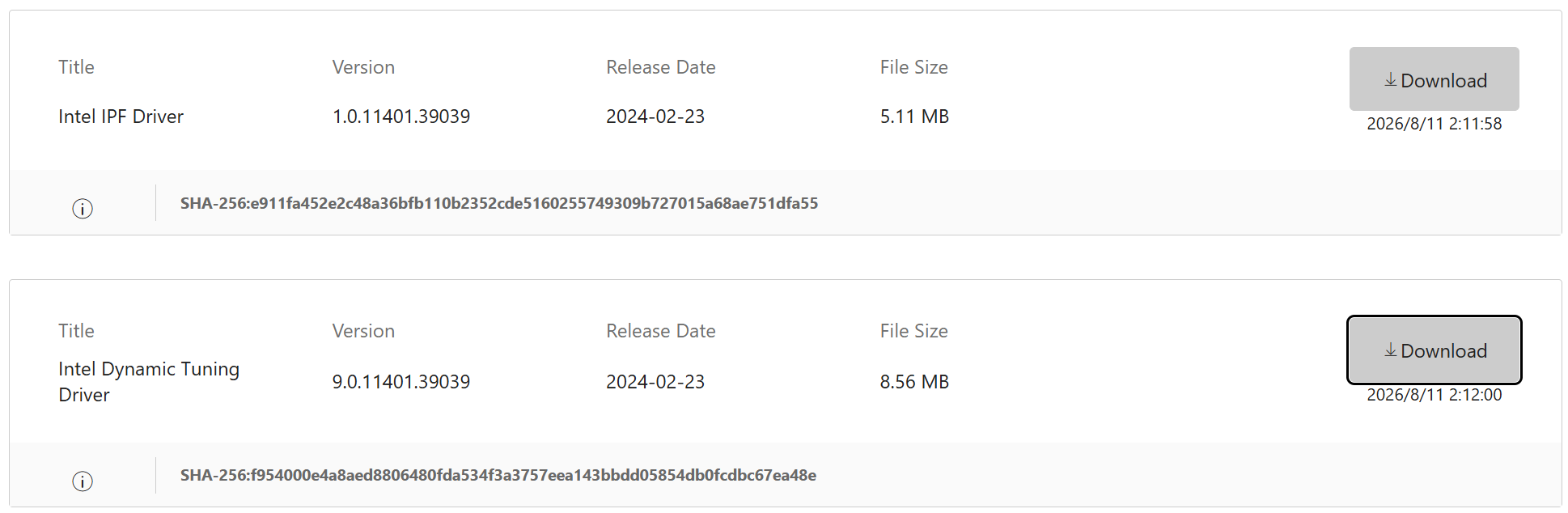
3. Please disconnect the laptop from the network first
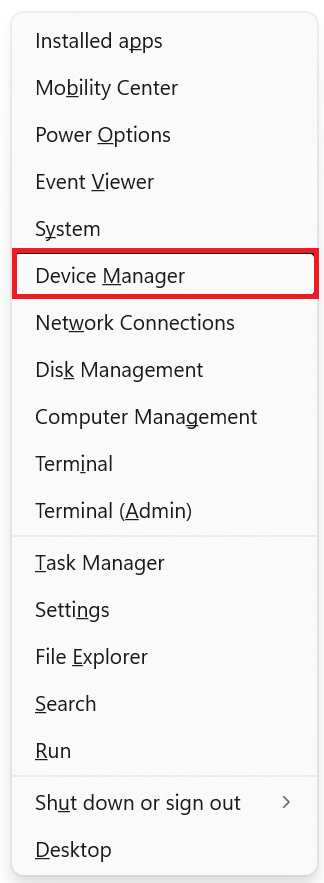
4. Right-click the Windows icon on the taskbar and select 「Device Manager」
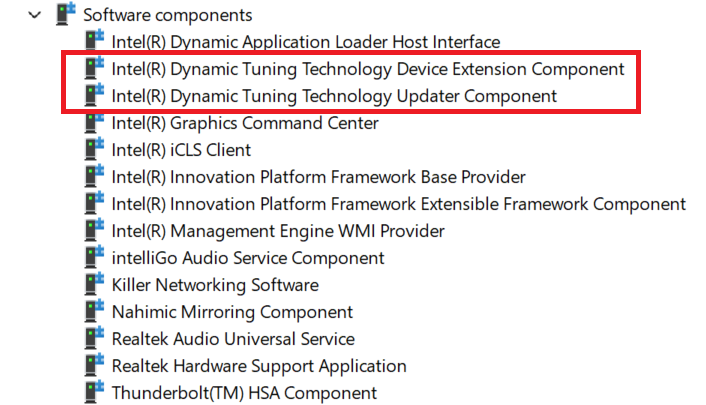
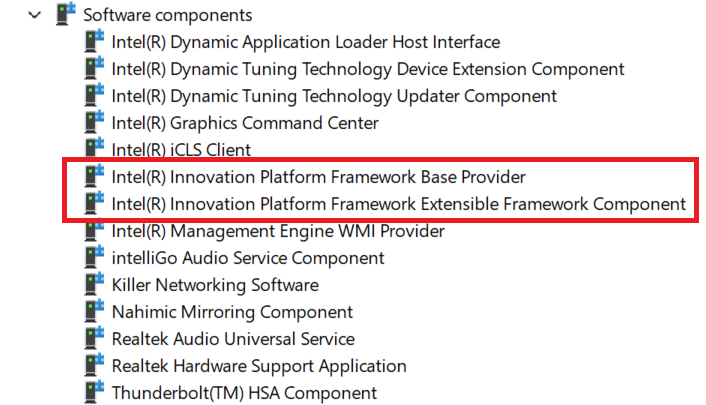
5. Go to 「Software components」 , find Intel(R) Dynamic Tuning Technology Device Extension Component & Intel(R) Dynamic Tuning Technology Updater Component
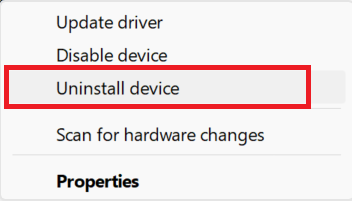
6. Right-click the corresponding driver, select 「Uninstall device」, and check 「Attempt to remove the driver for this device」
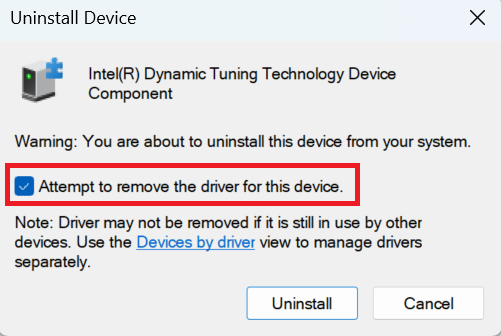
7. Stay in 「Software components」 , find Intel(R) Innovation Platform Framework Base Provider & Intel(R) Innovation Platform Framework Extensible Framework Component and repeat step six to remove the driver
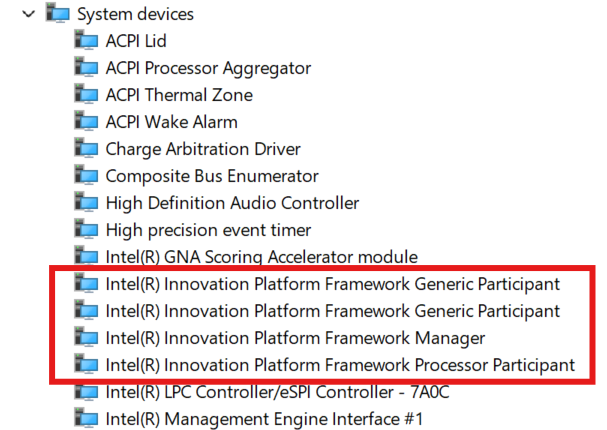
9. Unzip the IPF & DTT drivers downloaded previously
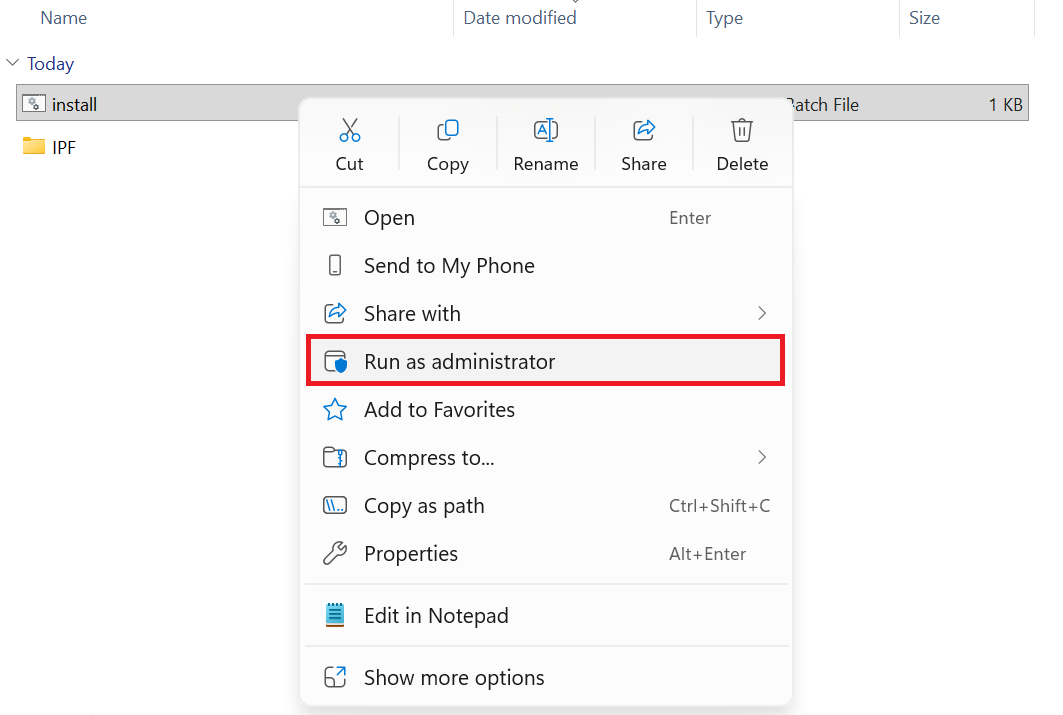
10. Open IPF driver folder, right-click the install.batch file, select 「Run as Administrator」 (Make sure move on to the next one after the pop-out Window is atuomatcially closed
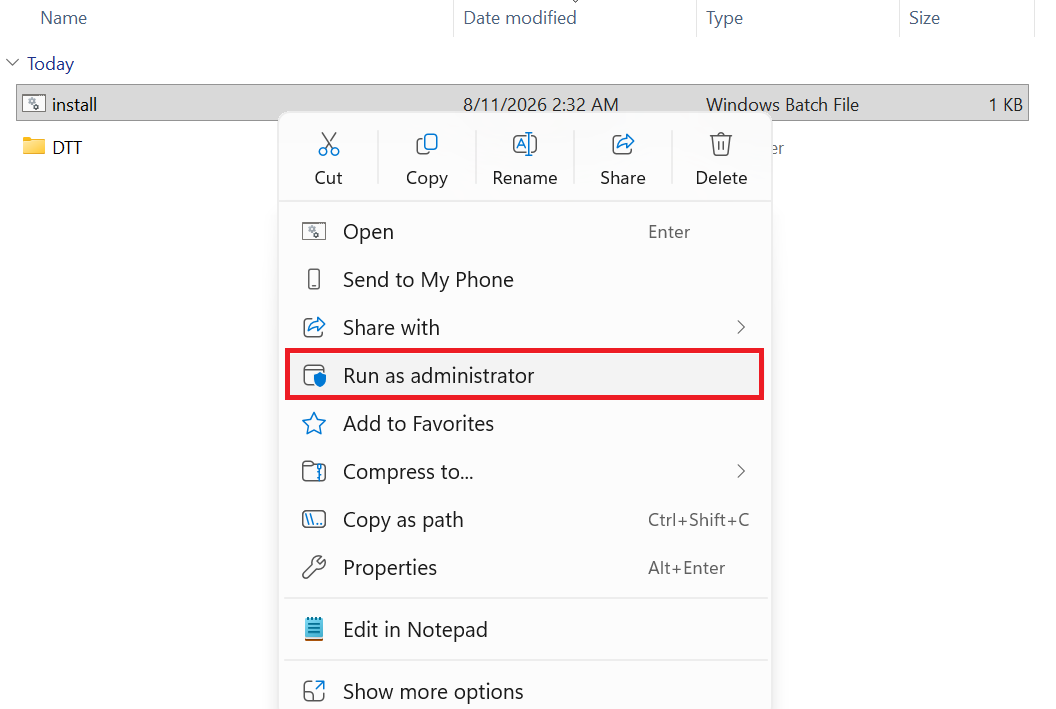
12. Please restart your computer for the changes to take effect
Common Questions (Q&A)
What are the Intel Dynamic Tuning driver and the Intel IPF driver?
Intel Dynamic Tuning Technology (Intel DTT) is Intel's performance and thermal management technology. It continuously monitors system workload and dynamically adjusts the CPU/GPU power limits, fan speed, and thermal curve — boosting performance when demand is high, and reducing power consumption and fan noise when the system is idle, while keeping the chassis from overheating.
Intel Innovation Platform Framework (Intel IPF) is the underlying driver framework that acts as the "communication bridge" between Intel software and the processor. Users don't interact with it directly or notice any features from it, but Dynamic Tuning Technology depends on IPF to communicate with the hardware. IPF is the foundational component that DTT relies on to function, so the two must be running compatible, matching versions.
What impact does a version mismatch between the Intel Dynamic Tuning driver and the Intel IPF driver have on the system?
When the two versions are properly matched, the system can automatically balance performance, power, and thermals, reducing fan noise and overheating risk. But when DTT and IPF versions become out of sync (for example, one is updated via Windows Update or an Intel utility while the other isn't updated at the same time), you may see abnormal fan control, connection failures in performance-tuning tools (such as MSI's Intel Application Optimization), or even overheating and unexpected shutdowns.
Under what circumstances would you encounter an Intel DTT and IPF driver mismatch?
- Windows Update automatically updates one driver but not the other: Windows Update or Intel-related utilities sometimes push an update to only DTT or only IPF. This can result in a newer DTT version requiring a higher IPF version than what's currently installed (or vice versa), so the two versions no longer line up and the DTT service fails to start.
- Installing DTT and IPF separately, not at the same time: If you download drivers from the MSI website yourself and update only DTT or only IPF — rather than updating both together — a version gap can easily result. These two drivers have a defined version dependency and must be paired together.
- Incomplete removal of the old driver, leaving residual registry entries or services: When simply "uninstalling" or overwriting with a new driver install, if the old version's services and registry entries aren't fully cleared out, the old and new versions coexisting can confuse the system.
- Downloading and installing drivers from unofficial sources: Driver versions obtained through third-party websites or non-MSI-official channels may not match the DTT/IPF versions the manufacturer paired for that specific model.