[How To] Optimize High Memory Usage of WorkloadsSessionHost.exe
Answer
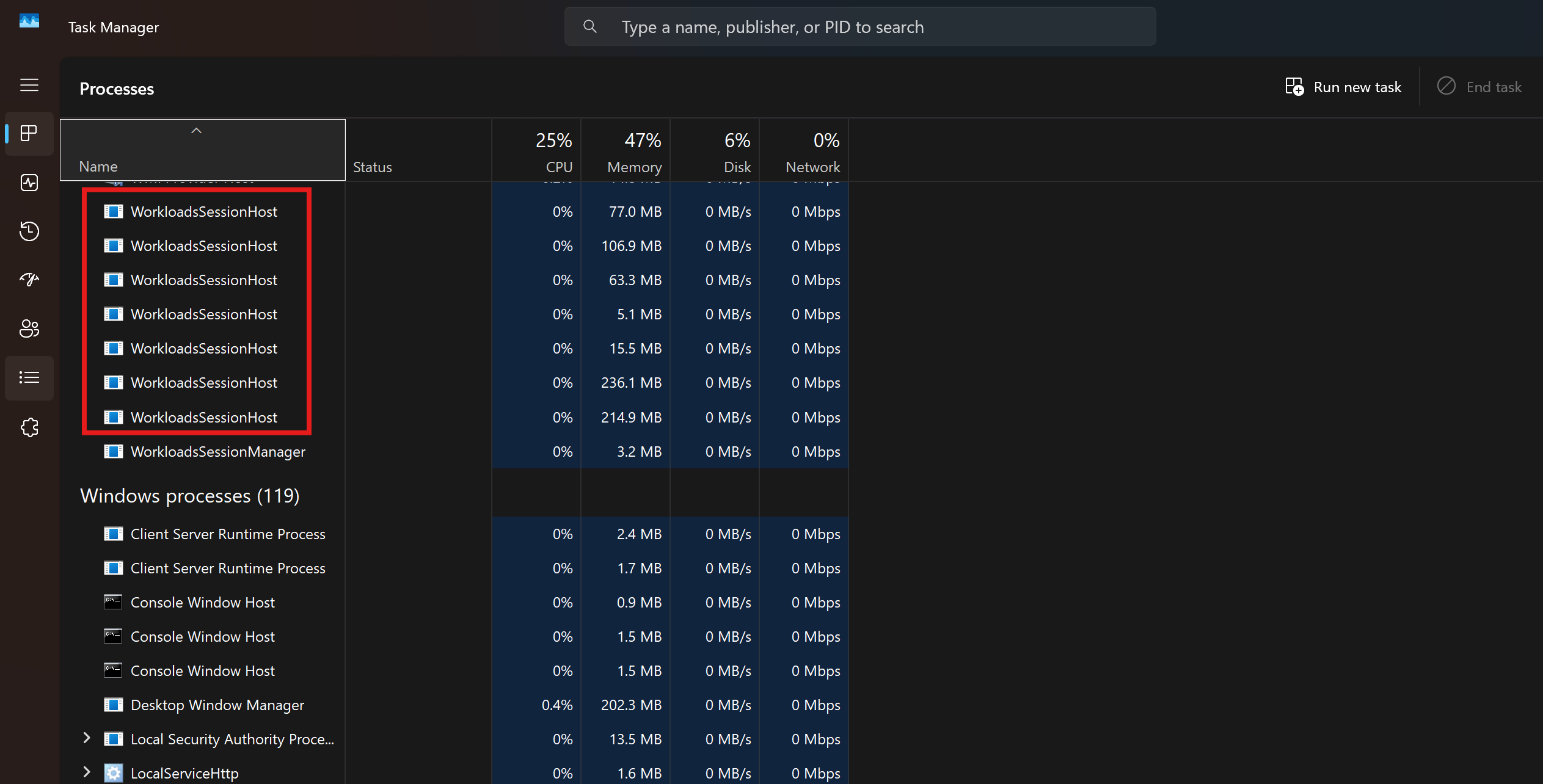
The WorkloadsSessionHost.exe process is a system component in Windows 11 (Copilot+ PC).It is part of the Windows AI infrastructure (Windows AI Fabric) and is primarily used to support AI features such as Copilot, Recall,Live Captions,semantic search,and image recognition.
When the system has enabled or is using related AI features,multiple WorkloadsSessionHost.exe processes may remain running in the background to preload AI models.This process is part of Microsoft's system mechanism and cannot be closed by manually selecting End task.As a result,you may see multiple WorkloadsSessionHost.exe processes consuming memory,with memory usage fluctuating in real time.
This article applies to MSI laptops that support Windows AI features
If you are not currently using related AI features and observe multiple WorksloadSessionHost.exe processes running in the background,follow the steps below to optimize system performance:
Ⅰ: Disable Windows AI Features
1. Right-click the Start menu and select Settings > Privacy & security.
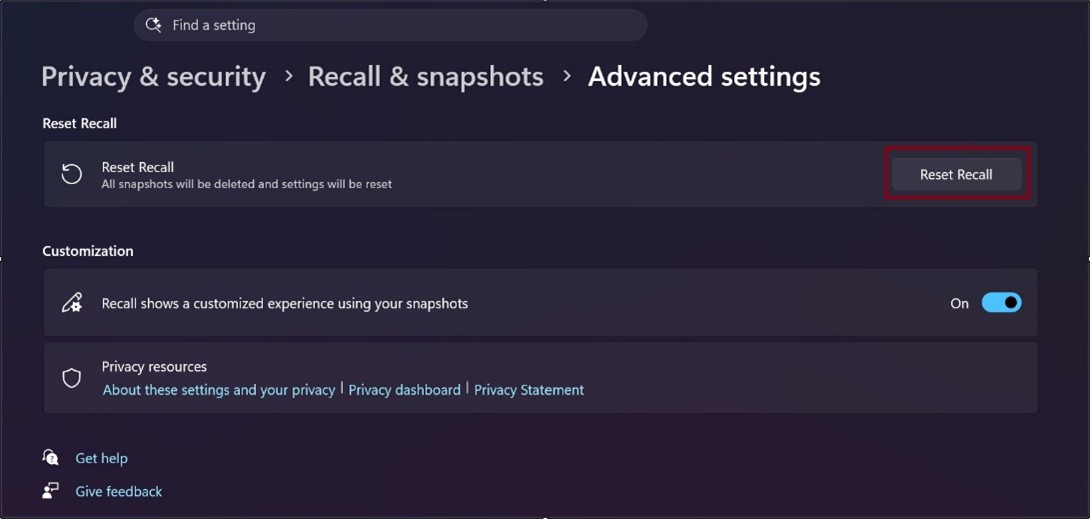
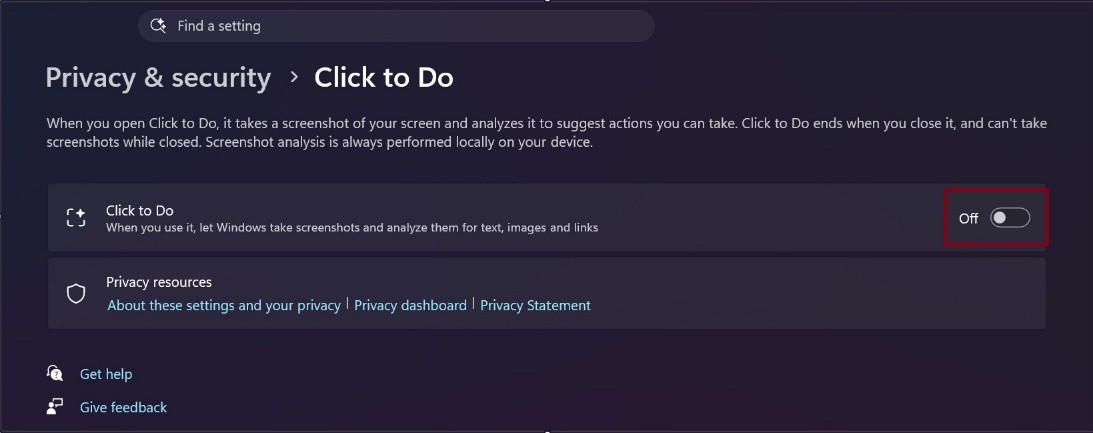
2. Adjust the following related features:
a. Reset Recall & Snapshots to default by clicking "Reset Recall"
b. Turn off Click to Do.
Ⅱ: Disable AI Features Through Windows Services
1. Press Win + R, enter services.msc, and press Enter.
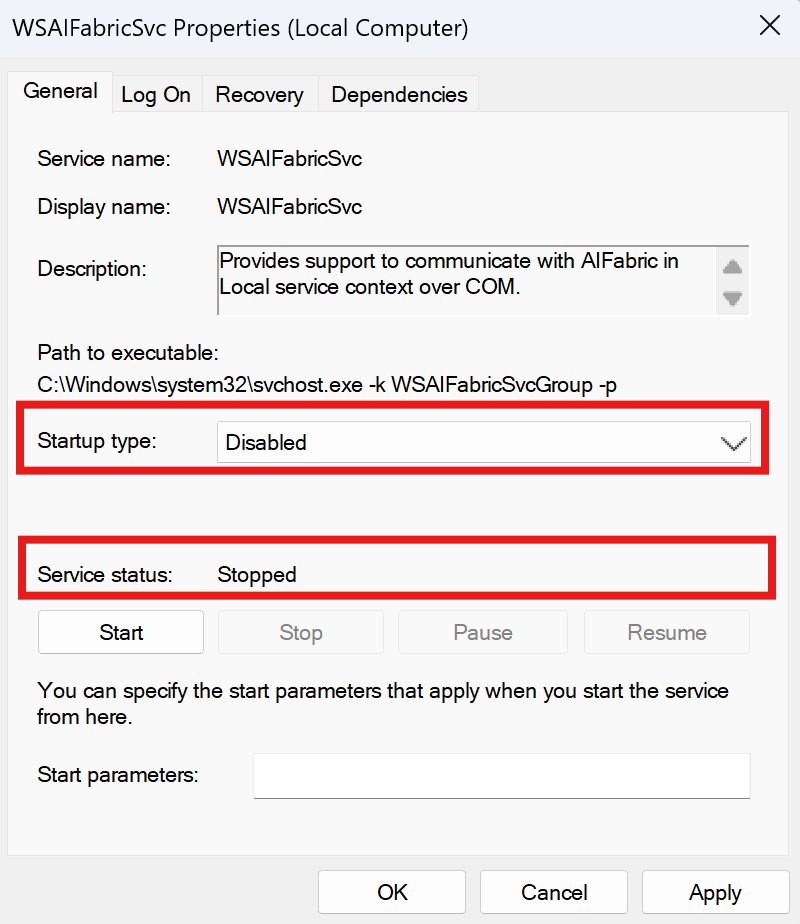
2. Find Windows AI Fabric Service (WSAIFabricSvc).
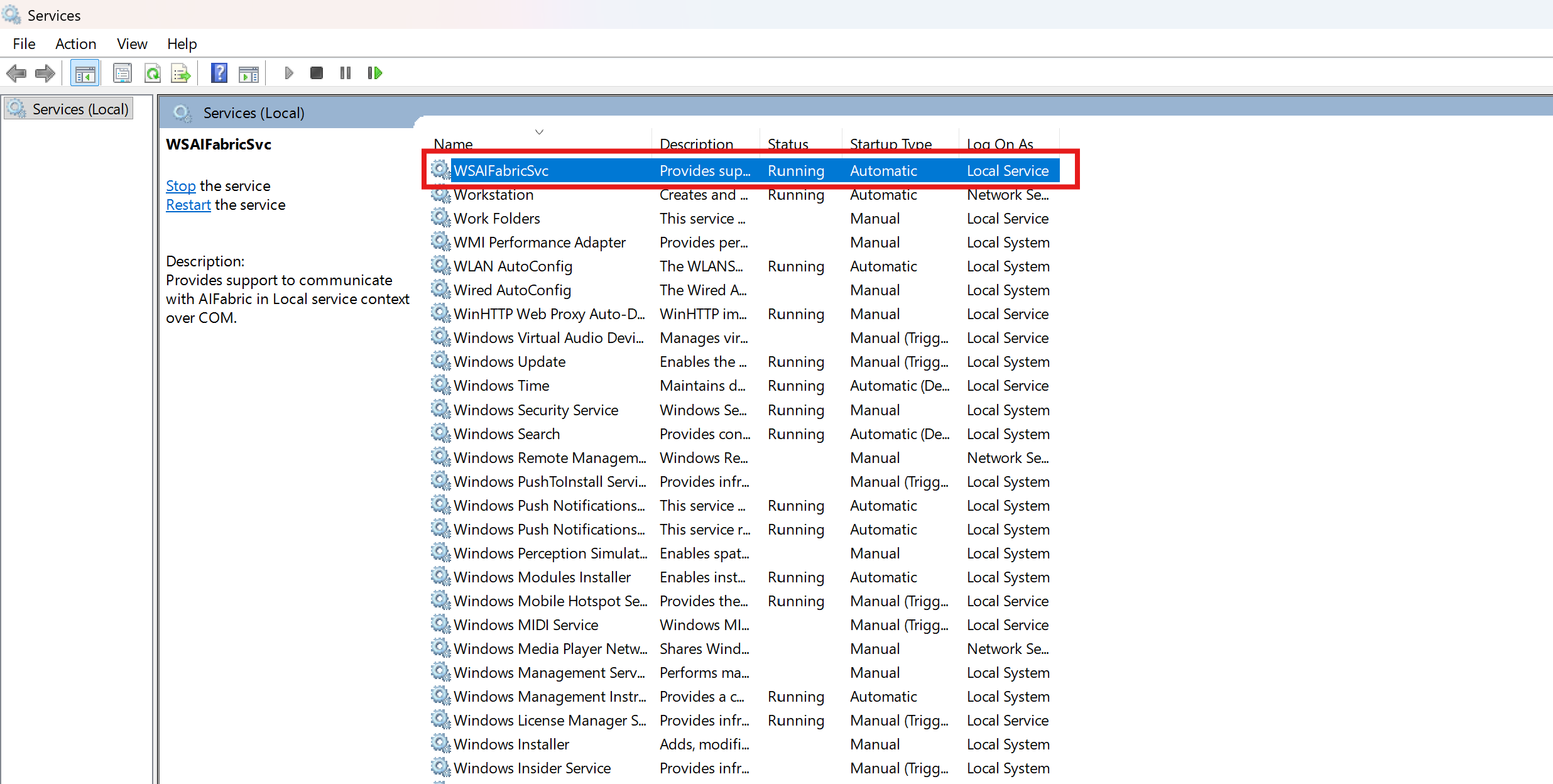
3. Right-click it and select Properties.
4. Set Startup type to Disabled.
5. Click Stop, then click Apply and OK.
After completing the above steps and restarting the system,the number of WorkloadsSessionHost.exe processes will typically be significantly reduced or may no longer be running,thereby effectively reducing memory usage and improving system performance.
Note: If you need to use the related AI features in the future,simply re-enable the corresponding features or services to restore them.
FAQ
Q: Will "Reset Recall" affect normal Windows operation?
A: No. Reset Recall is mainly used to clear existing Recall data and restore the related settings to their default state. It will not affect basic Windows functionality.
Q: What is the impact of disabling Windows AI Fabric Service?
A: It may cause some AI features that depend on Windows AI Fabric to become unavailable.If you need to use the related AI features,disabling this service is not recommended.