[How To] Resolve the “BIOS Firmware Update Required” Prompt When Running Call of Duty Series Games on AMD Laptops
Answer
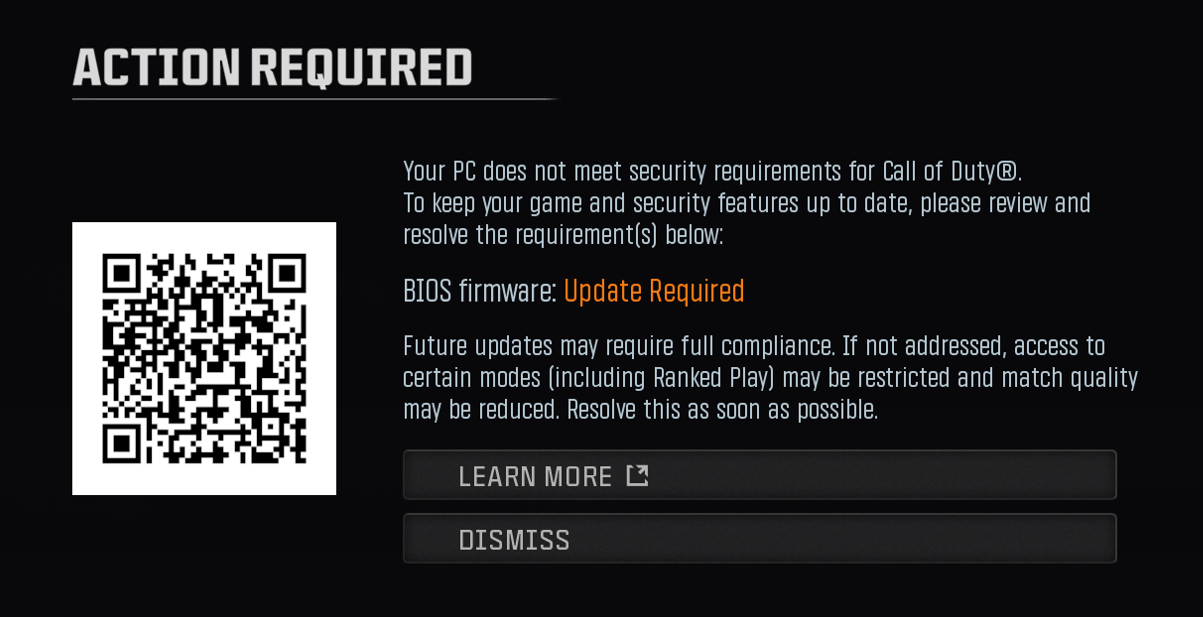
On MSI notebooks using AMD processors, a “BIOS Firmware Update Required” error window may appear when launching a Call of Duty series game, even after the system already meets the game's security requirements.
This is not caused by an actual system firmware issue. It occurs because Activision's Ricochet anti-cheat system currently has recognition anomalies with different manufacturers' TPM (Trusted Platform Module) types and versions, which can cause incorrect detection on certain hardware platforms and trigger this false “BIOS Firmware Update Required” prompt. Refer to this article if this prompt appears after the system has already been confirmed to meet Call of Duty's security requirements.
This article applies to MSI notebooks using AMD processors
Before You Begin: Confirm the System Meets Call of Duty's Security Requirements
1. Refer to Check if the System Meets the Security Requirements for Call of Duty, and confirm the notebook's hardware and system meet the game's security requirements.
Note: If the “BIOS Firmware Update Required” prompt still appears after confirming the system meets these requirements, continue with the steps below.
Why This Happens
This anomaly needs to be resolved through an update to Activision's own anti-cheat detection logic. In the meantime, MSI recommends applying the workaround below to switch the system's security processor mode.
Important: This is a non-standard configuration. Keep the system at its default setting when not playing Call of Duty series games, to avoid unrelated issues.
Step 1: Confirm the Current TPM Status
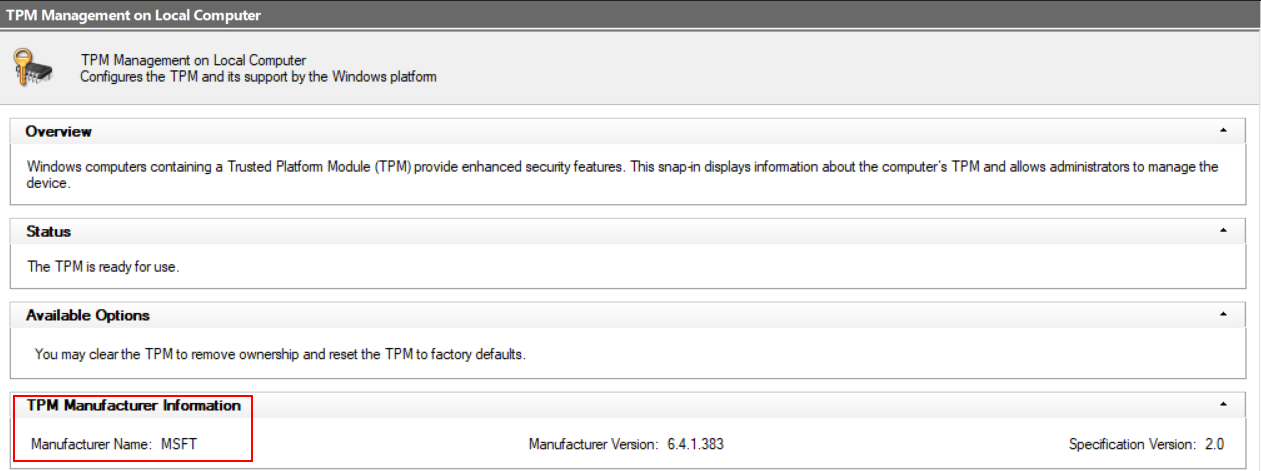
1. Type “tpm.msc” into the Windows search bar and open it.
2. Check the manufacturer name shown in the lower-right corner. If it shows “MSFT”, continue with the BIOS adjustment in Step 2 below.
Step 2: Enter BIOS and Change the AMD fTPM Switch Setting
1. Restart the notebook, and repeatedly press “Delete” on the boot screen to enter BIOS.
2. Once in BIOS, press “Left Alt” + “F2” + “Right Ctrl” + “Right Shift” together to access the hidden BIOS menu.
3. Navigate to “Advanced” > “AMD fTPM Configuration”.
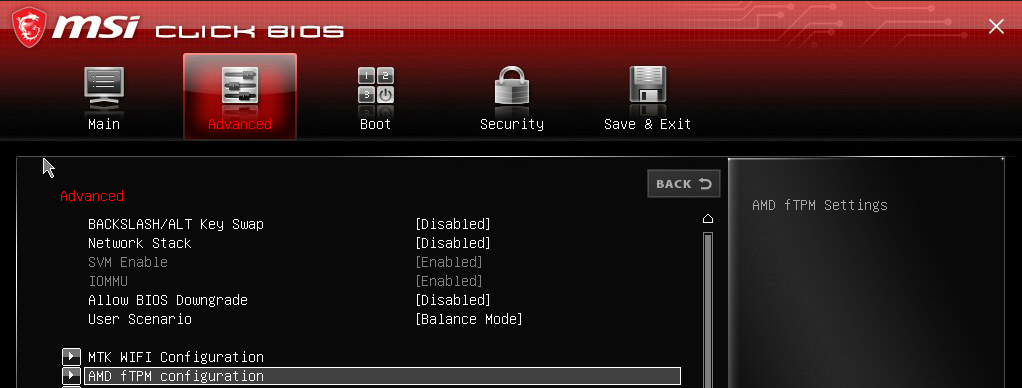
4. Change “AMD fTPM Switch” from “AMD CPU HSP” to “AMD CPU fTPM”.
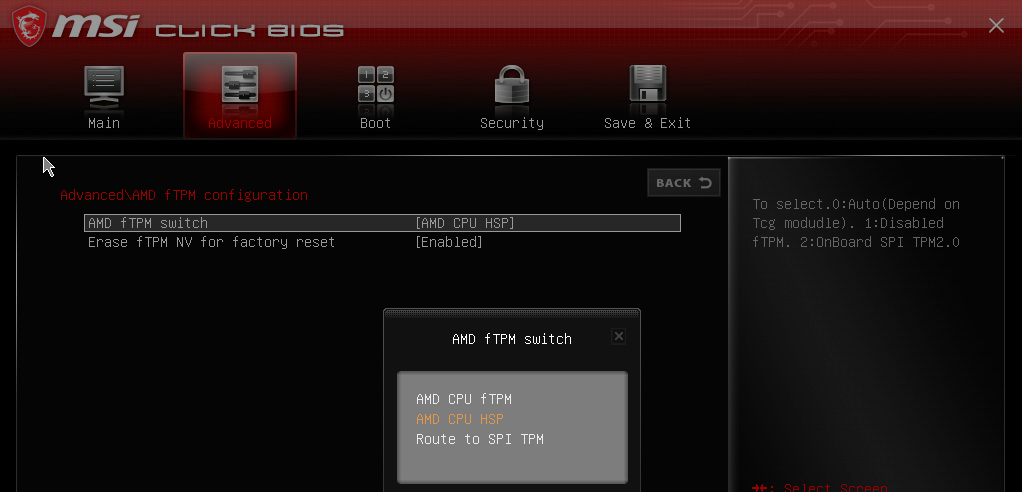
5. Press “F10” and select “Save & Exit”. The system will restart.
Step 3: Verify the Fix
1. After restarting into Windows, launch the Call of Duty series game again.
2. Confirm the Ricochet anti-cheat system now recognizes the TPM information correctly, and the “BIOS Firmware Update Required” prompt no longer appears.
Common Questions (Q&A)
What causes the “BIOS Firmware Update Required” prompt to appear even though the system already meets Call of Duty's security requirements?
This is a false-positive prompt caused by Activision's Ricochet anti-cheat system, which currently has recognition anomalies with different manufacturers' TPM types and versions. On certain AMD hardware platforms, this can cause the anti-cheat system to incorrectly detect the TPM and trigger the “BIOS Firmware Update Required” prompt, even though no actual firmware update is needed.
Why does changing AMD fTPM Switch from AMD CPU HSP to AMD CPU fTPM resolve this issue?
This setting changes which security processor mode the AMD CPU's firmware TPM (fTPM) uses to report TPM information to Windows and to the game's anti-cheat system. Switching to AMD CPU fTPM changes how this information is reported in a way the Ricochet anti-cheat system currently recognizes correctly, working around its detection anomaly with the AMD CPU HSP mode.