[Windows 10] How to uninstall applications if I can't see them in the Programs and Features List of Control Panel?
LastUpdate : Mon, 04 Jul 2016
Answer
Pleaser follow the steps below to uninstall applications:
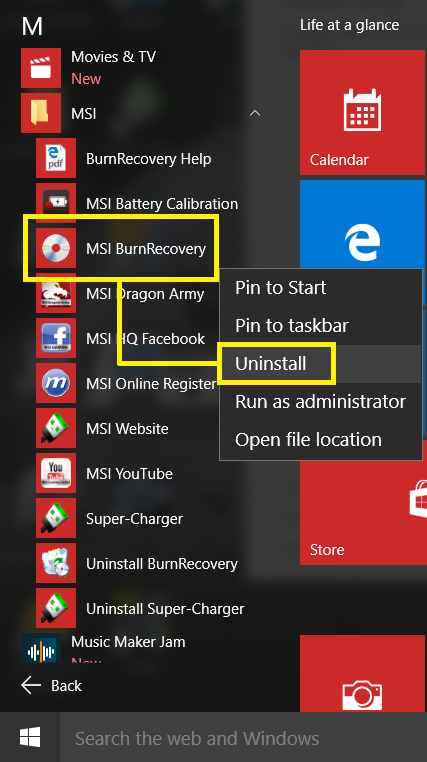
1. Click on the Windows icon in the left low corner of desktop.
2. Select "All apps"
3. Find the application you want to remove.
4. Right click on the application and select "Uninstall"