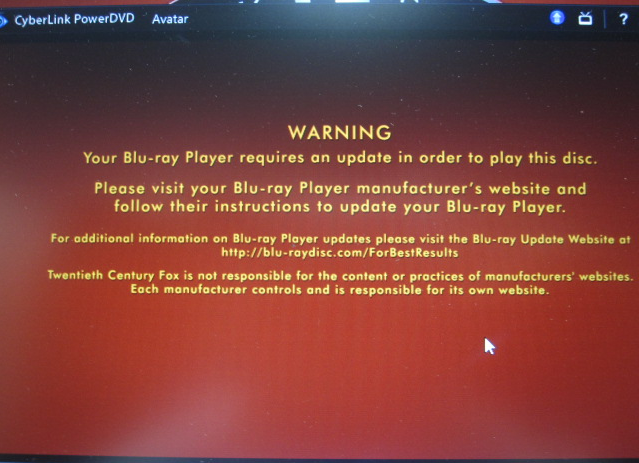
My Blu-ray Drive (TSST/SN-506BB) but it cannot play BD video and give a warning message [Stop Playing](See attached picture). It works normally when playing DVD discs.
LastUpdate : Mon, 09 Mar 2015
Answer
MSI recommends user update the latest ODD firmware. You can download the source package from attached file or following link.
http://download.msi.com/uti_exe/ODD_Frimware.zip
Please follow the instruction and update your ODD firmware.
1. Unzip the [ODD_Frimware.zip].
2. Execute [SFDNWIN.exe] file.
3. Click [Download File Open] icon to open file.
4. Select correct bin file and click [Open].
5. Click [Start Download] icon to upgrade firmware.
6. Click [OK] to start download process.
7. After process complete, click [OK] to restart system.
Reference
Models
- WT60-2OJ
- GT60 2QD Dominator
- GT60 2QD Dominator 3K Edition
- WT60-2OK 3K IPS Edition
- GT60 2OD
- GT60 2QE Dominator Pro 4K Edition
- GT60 2QD Dominator 4K Edition