


[Notebook] How to Change Boot Order in BIOS?
Please follow the steps below to modify the boot priority for your laptop.
1. After pressing the power button, immediately press the DELETE key repeatedly to access the BIOS settings.
If you encounter difficulties entering the BIOS, please refer to [Notebook] Unable to Access BIOS Settings.
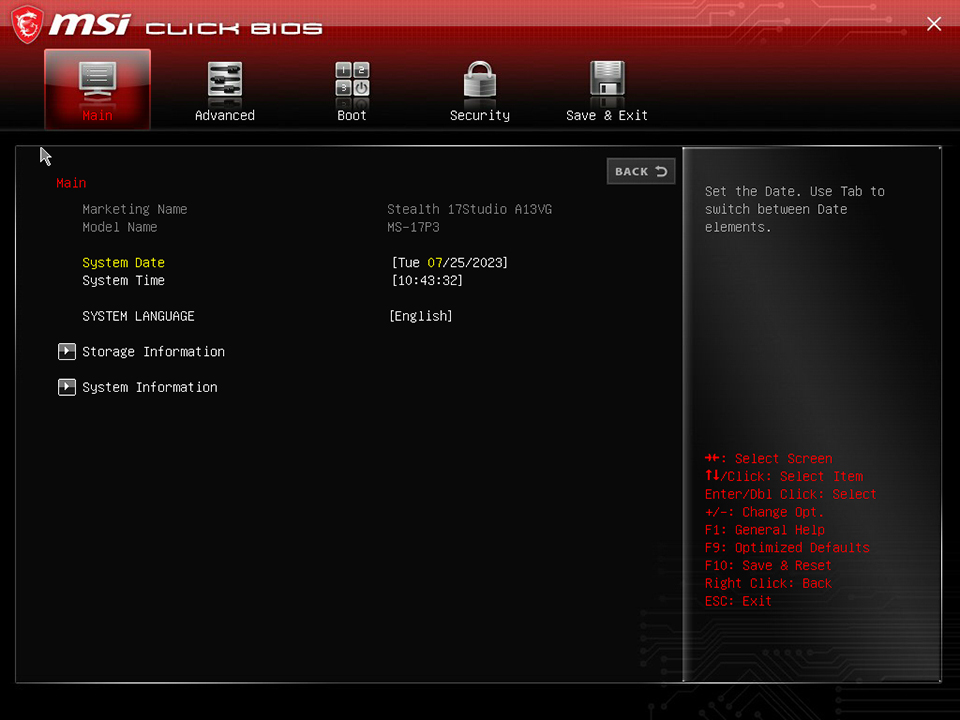
2. Navigate to the BIOS boot settings.
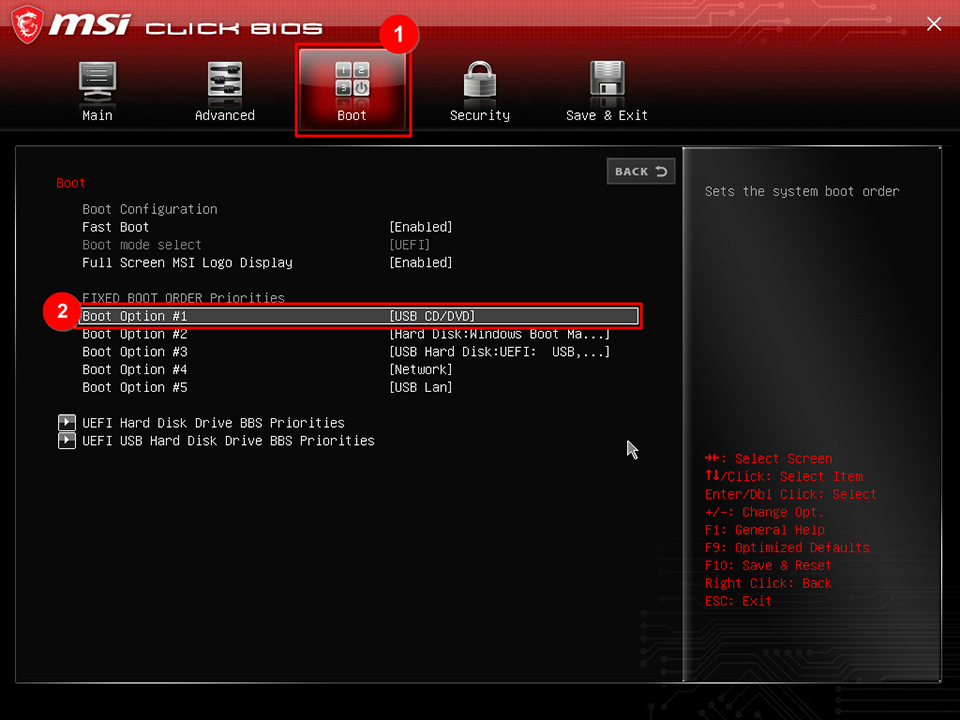
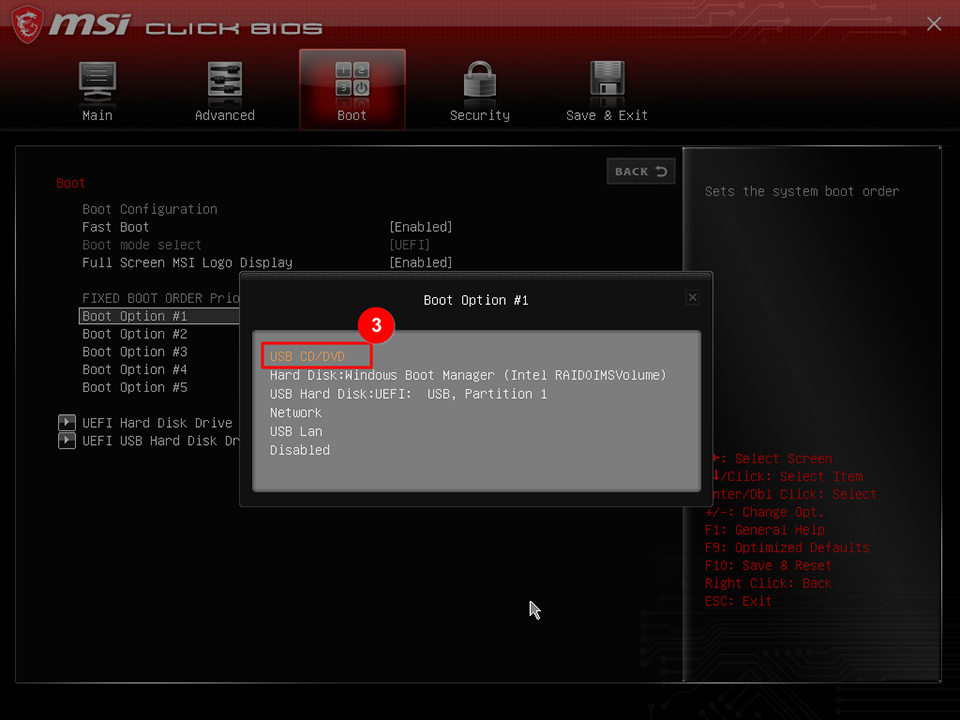
3. Change the boot order in the BIOS.
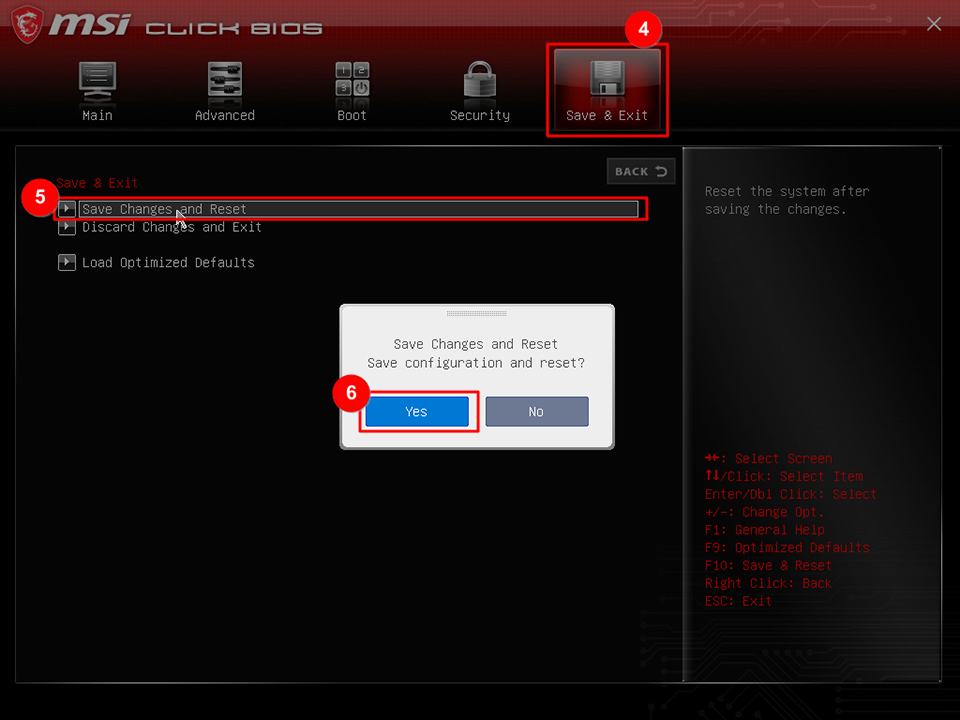
4. Save the changes to the boot order and exit the BIOS.
If you have tried the above troubleshooting methods and still cannot resolve the issue, please reach out to the MSI customer service center for further assistance.