Crosshair vs Stealth: Which One Should You Buy?
Laptops
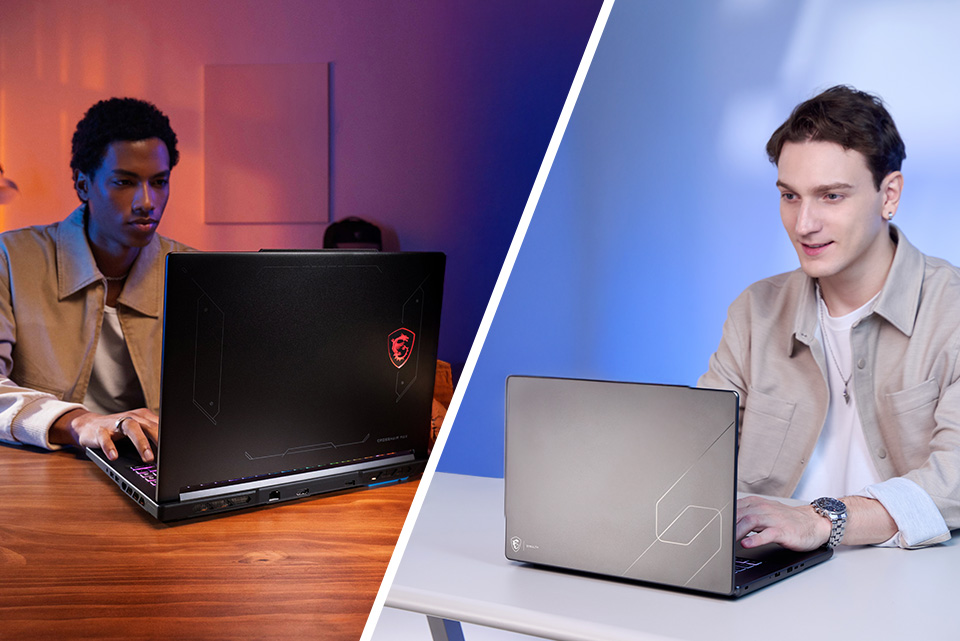
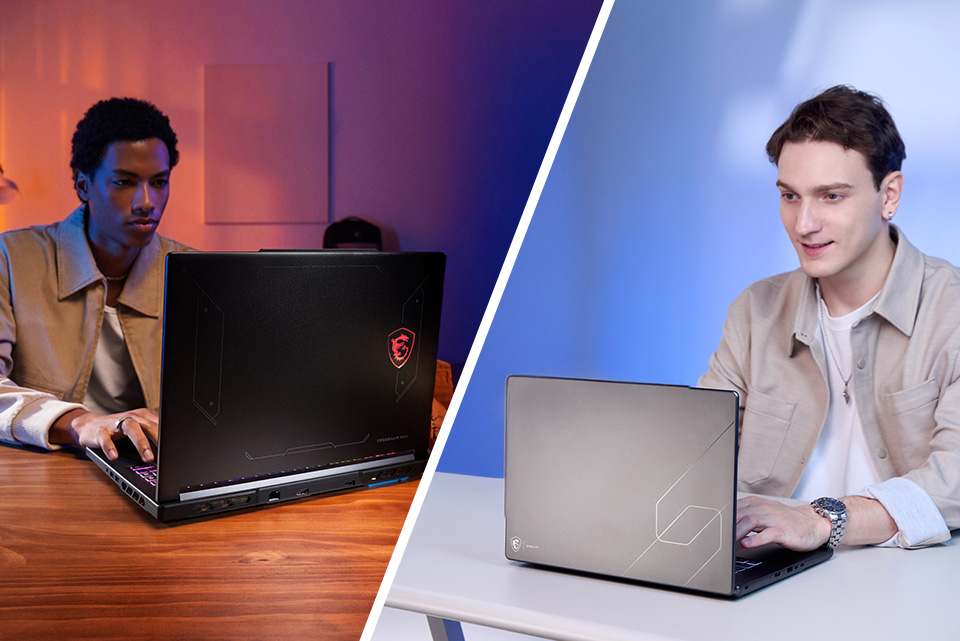
Picking your next MSI gaming laptop usually comes down to one core question: what do you actually do with it, and where does it go with you? Our Crosshair and Stealth lineups both bring serious gaming muscle to the table, but they're built with pretty different priorities in mind. The Crosshair series is our mecha-styled workhorse family built to hit maximum performance numbers, while the Stealth 16 AI+ trims the fat into a slim, all-aluminum chassis without giving up power.
Let's break down what each one actually offers, and more importantly, who should be buying which.
The Crosshair Family: Built to Perform, Priced to Fit
The Crosshair series is a lineup with three distinct configurations, each aimed at a slightly different type of gamer or budget. All three share the same 16-inch mecha-inspired design with the RGB Dragon Shield emblem, Cooler Boost cooling with Phase Change Thermal Compound, and up to 200W (190W on the AMD version) of combined system power. Here's how they break down.
Crosshair 16 Max HX (E2W) — The Flagship
This is the top of the Crosshair stack. It pairs the new Intel Core Ultra 9 processor 290HX Plus (24 cores, 8 Performance + 16 Efficiency, with an NPU built in) with up to an RTX 5070 Laptop GPU. What really sets this one apart is the display option: a 16-inch QHD+ OLED panel running at 165Hz with VESA DisplayHDR True Black 1000 certification. If you want the deepest blacks and best contrast in the lineup, this is the one. It also gets the fancier 24-zone RGB keyboard and a Thunderbolt 4 port, something the other two Crosshair configs skip.
Crosshair 16 HX (E14W) — The Reliable Middle Ground
Same chassis, same cooling, same up to 200W of power, but running on the Intel Core i9-14900HX instead of the newer Core Ultra chip. You still get up to an RTX 5070 Laptop GPU and a 240Hz QHD+ IPS-level display, which is actually a faster refresh rate than the Max HX's OLED panel (though without the OLED contrast or HDR True Black certification). This configuration trades the newest Intel silicon and Thunderbolt 4 for a more accessible price point, while keeping the high refresh rate that competitive gamers care about.
Crosshair A16 HX (E8W) — The AMD Alternative
This is the odd one out in the best way. Instead of Intel, it runs an AMD Ryzen 9 8940HX (up to 16 cores, 32 threads, 5.3GHz boost) paired with up to an RTX 5070 Laptop GPU, and select SKUs are configured with more RAM out of the box (up to 32GB DDR5 compared to 16GB of the Intel-based Crosshair 16 HX). If you're loyal to AMD platforms, or you want extra memory without upgrading yourself, this is your pick in the family.
The Stealth 16 AI+ (B3W): Power That Doesn't Weigh You Down
Now for the other side of this comparison. The Stealth 16 AI+ takes a completely different approach: instead of maximizing raw wattage in a bulkier chassis, it's built to be genuinely portable without gutting performance.
It's wrapped in an all-aluminum alloy chassis that's just 0.66-0.79 inches thick and 4.39 pounds, which is a real difference if you're used to hauling a gaming laptop around campus or between meetings. Under the hood, it runs the Intel Core Ultra 9 processor 386H (16 cores, up to 4.9GHz, up to 50 NPU TOPS) and can be configured with up to an RTX 5080 Laptop GPU with 16GB of GDDR7, more graphics horsepower and VRAM than any Crosshair configuration offers.
The display is a 16-inch QHD+ OLED panel at 240Hz, so you get OLED's contrast and color along with the high refresh rate, something none of the Crosshair options combine in one panel. It's also a Copilot+ PC, meaning it qualifies for Microsoft's on-device AI features like Recall and Cocreator, on top of MSI's own AI Engine.
Battery life is where the Stealth really separates itself: a 90Whr battery rated for up to 12 hours of video playback. Add Wi-Fi 7, a business-friendly IR webcam with facial recognition login, and dual PCIe Gen4 SSD support, and you've got a laptop that can go from a ranked match at home to a full day of client meetings without needing to live next to an outlet.
So, Which One Should You Actually Buy, the Crosshair or the Stealth?
The short answer is “it depends”. But, let’s walk through the actual different use-cases for each.
Buy the Crosshair 16 Max HX (E2W) if:
- You want the newest Intel silicon (Core Ultra Series 2) and don't mind paying for it
- OLED contrast and HDR True Black matter more to you than raw refresh rate
- You want Thunderbolt 4 for external GPU docks, fast external storage, or high-bandwidth monitors
- You're treating this as a desktop replacement and rarely move it
Buy the Crosshair 16 HX (E14W) if:
- You want strong 240Hz competitive performance without paying flagship Crosshair pricing
- You're fine on the previous-gen Intel Core i9 platform and don't need Thunderbolt 4
- You mainly play fast-paced competitive titles where refresh rate beats OLED contrast
Buy the Crosshair A16 HX (E8W) if:
- You prefer AMD over Intel, whether it's brand loyalty or performance
- You want the extra memory without upgrading yourself for better multi-tasking
- You're comparison shopping and the AMD config lands at a better price for your build
Buy the Stealth 16 AI+ (B3W) if:
- You need to actually carry this thing places on a regular basis, whether that's school, work, or travel
- You want the best combination of GPU power and portability MSI currently offers (up to RTX 5080, in a 4.39 lb chassis)
- Battery life is important, even in a gaming laptop
- You want an OLED panel and a 240Hz refresh rate in the same display, without stepping up to an 18-inch desktop replacement
The Bottom Line
If your laptop mostly stays on a desk and you're chasing the biggest numbers for the money, one of the three Crosshair configs will get you there, and which one comes down to your platform preference (Intel vs AMD), your display priority (OLED vs faster IPS), and your budget. If you need that same gaming performance to travel with you, whether that's dorm to library, office to home, or city to city, the Stealth 16 AI+ is built specifically to make that tradeoff painless.
Either way, you're getting Cooler Boost cooling, DLSS 4.5 support, and the NVIDIA Blackwell architecture across the board. The real question isn't which laptop is “better,” it's which one fits the life you're actually going to use it in.