Portal X - A New Way to Control Lighting of Your MSI Products
Motherboards
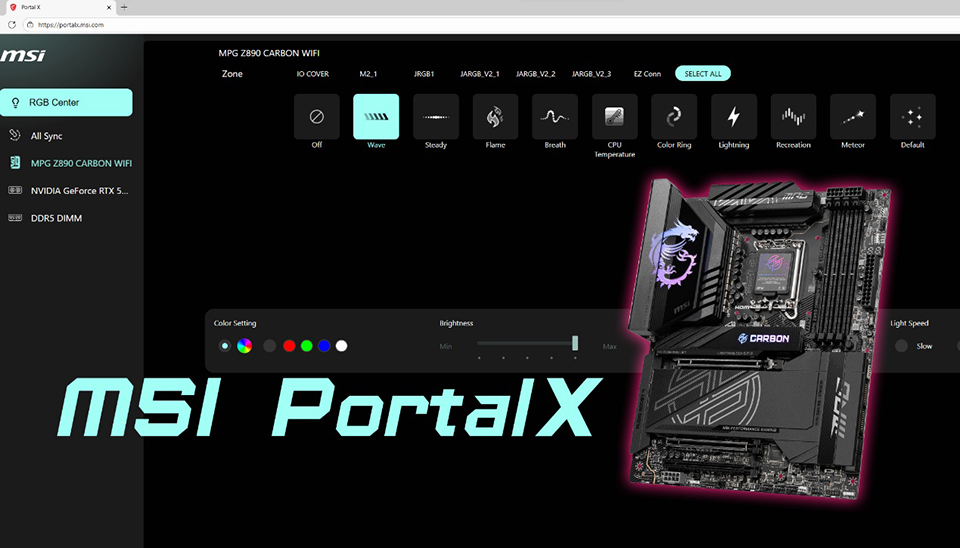
Portal X is a newly developed interface that allows users to quickly and easily configure MSI products through a web-based platform. It currently supports lighting control for MSI motherboards, MSI graphics cards, and most memory modules.
- MSI Motherboards (Intel & AMD 800 Series)
- Memory Modules (Compatible with most brands on the market)
- MSI Graphics Cards (NVIDIA GeForce RTX50 Series)
Here’s a comparison table to help you quickly understand the differences between Portal X and the Mystic Light Utility in MSI Center, and determine which one is more suitable for you.
Portal X
Mystic Light
Features
- Browser interface
- Low system load
- Limited lighting control – support MSI motherboards, graphics cards and memory modules
- After the initial installation, no additional updates are required — always runs the latest version online.
- Application
- Loading time depends on how many utilities are running simultaneously
- Full lighting control – supports all MSI products and third-party partners devices
- Lighting synchronization with third-party software, such as Ambient Link and Voicemod
- Periodic downloads and updates are required to improve compatibility
Target group
- Recommended for users who want a quick and easy way to control lighting effects and colors.
- Recommended for users who have multiple lighting devices and components in the PC build and enjoy fine-tuning lighting effects.
Now, that’s follow the tutorial below:
Step 1: Visit the website
Go to https://portalx.msi.com/
You’ll be automatically redirected to the MSI Portal X Launcher page on the Microsoft Store.
You’ll be automatically redirected to the MSI Portal X Launcher page on the Microsoft Store.

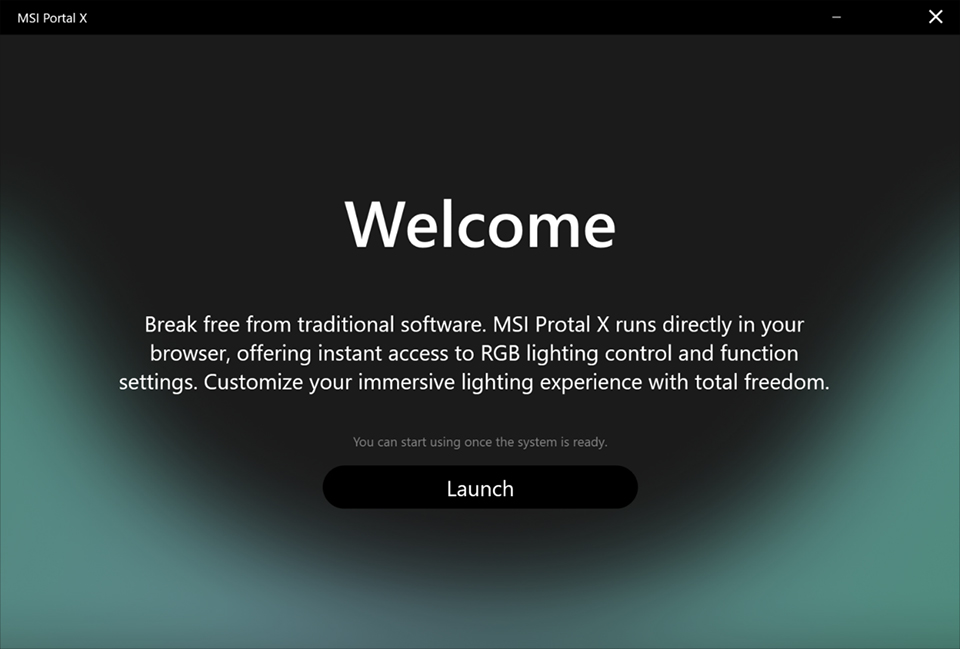
After installing it, you can access Portal X anytime through the browser above (or directly from the installed Launcher). Installation is required only once — no further updates are needed to access the latest MSI RGB settings online.
Step 2: Customize your lighting
Within MSI Portal X, you can adjust the RGB lighting effects, brightness, speed, and All Sync function of MSI 800 Series motherboards, MSI NVIDIA GeForce RTX 50 Series graphics cards, and memory modules. And more device categories will be supported in the future.

If you’re also using Mystic Light in MSI Center to control your RGB lighting, a notification will appear asking to transfer control — ensuring there’s no conflict or lighting effect disorder.
Step 3: Enjoy simple and fast control
You can individually customize the RGB lighting of different MSI motherboards, memory, and MSI graphics cards, or use the All Sync feature to quickly synchronize all lighting effects. Enjoy fast and convenient RGB control through the clean and simple MSI Portal X website— and stay tuned for more features coming soon!
FAQ
*Which browsers are compatible with Portal X?
Portal X can be used with Chrome and Edge browsers.
*Is an internet connection required to use Portal X?
Yes.
*How can fans and AIO coolers connected to the motherboard be controlled?
Fans and AIO coolers connected to the motherboard’s ARGB headers will sync with the motherboard’s RGB lighting effects.
*Will it be possible to control fan speeds or AIO cooler display screens through Portal X in the future?
Currently, there are no plans for this. However, if enough users request this feature, it may be added in a future update.