The Ultimate Back-to-School Laptop Buying Guide 2026
By Peggy Tsai|August 07,2026
Laptops
Choosing the right laptop for school isn't about buying the most powerful model—it's about finding one that matches your coursework, lifestyle, and future needs. It is the laptop that can handle your regular workload, remain practical to carry, and continue meeting your needs throughout your studies.
For everyday productivity, a thin-and-light laptop with integrated graphics is usually sufficient. Students who regularly play modern games, edit video, work with 3D applications, or run GPU-accelerated AI tools should consider a laptop with dedicated graphics.
This guide explains how to choose the right laptop based on performance, portability, memory, storage, and graphics requirements.
What Should You Look for in a Student Laptop?
When choosing a back-to-school laptop, there are five areas that you should focus:
Performance for Your Coursework
Everyday tasks such as research, presentations, online classes, video calls, and office applications do not require the highest-end hardware.
More demanding workloads—including gaming, video editing, CAD, 3D rendering, game development, and local generative AI—may require stronger processors, more memory, and dedicated graphics.
Portability
Students who carry their laptops between classrooms, libraries, cafés, and dormitories should prioritize weight, battery life, and charger size.
Larger performance laptops generally offer stronger cooling and more screen space, but they can be less convenient to carry every day.
Battery Life for All-Day Classes
Real-world battery life depends on screen brightness, video calls, wireless connectivity, background applications, and workload.
Students who frequently work away from power outlets should place battery efficiency above performance they may rarely use.
Display and Usability
A 14-inch laptop is generally easier to carry, while a 16-inch display provides more space for spreadsheets, multitasking, creative work, and gaming.
Other useful features include a 16:10 aspect ratio, comfortable keyboard, responsive touchpad, sufficient brightness, and the ports needed for school or external devices.
Choose a Laptop That Lasts Through College
A student laptop should ideally remain useful for several years. Consider memory capacity, storage, upgrade options, connectivity, build quality, warranty, and whether the laptop has enough performance headroom for future software.
The cheapest laptop may not offer the best value if it needs to be replaced before graduation.
Do Students Need a Dedicated GPU?
Most students can complete everyday schoolwork without a dedicated graphics. However, students who regularly use demanding applications—such as those studying engineering, architecture, media production, game development, computer science, or AI-related fields—are much more likely to benefit from dedicated graphics.
Integrated graphics are generally sufficient for:
Web browsing and research
Microsoft Office
Online classes
Presentations
Video calls
Streaming
Light photo editing
Cloud applications
Cloud-based AI tools
A dedicated GPU is recommended for students who regularly use:
Modern PC games
Video-editing software
3D modelling and rendering
CAD applications
Game engines
Motion graphics
Local image-generation tools
GPU-accelerated AI applications
Not every AI feature requires dedicated graphics. Many AI productivity tools run through cloud services, CPUs, integrated graphics, or NPUs.
The more useful question is whether the applications you regularly use benefit from GPU acceleration.
Category
Integrated Graphics Laptop
Dedicated GPU Laptop
Portability
Usually lighter
Usually heavier
Battery efficiency
Generally better
Higher power use under heavy workloads
Everyday productivity
Excellent
Excellent
Modern gaming
Limited
Recommended
Video and 3D work
Light workloads
Better for demanding projects
Local AI
Basic or optimized workloads
Better for GPU-accelerated workflows
Best application
Everyday study and mobility
Gaming, creation, and advanced workloads
How Much RAM Do Students Need?
16GB RAM - Best for most students
A practical starting point for most students. It is suitable for everyday productivity, research, online classes, browser multitasking, general coding, and light creative work.
32GB RAM - Best for creative and technical majors
Recommended for heavier multitasking, software development, virtual machines, video editing, 3D applications, data analysis, and local AI tools.
64GB RAM or More - Best for professional or AI workloads
Useful for specialized workloads such as complex 3D projects, multiple virtual machines, professional video production, large datasets, and advanced AI development.
Students should also check whether the memory is upgradeable, especially if they plan to keep the laptop for several years.
Which Type of Laptop Is Right for You?
Different students need different levels of performance. Some prioritize affordability and portability, while others need stronger graphics for gaming, creative software, engineering applications, or local AI workloads.
The right choice depends on what you use regularly—not the most demanding task you might perform once.
Your Main Priority
Recommended Laptop Type
MSI Series
Essential schoolwork and affordability
Everyday productivity laptop
MSI Modern Series
Portability, battery life, and premium productivity
Premium thin-and-light laptopr
MSI Prestige Series Series
AAA gaming, editing, CAD, and advanced workloads
High-performance laptop
MSI Crosshair Series
Gaming and creation in a slim, premium design
Portable performance laptop
MSI Stealth Series
Advanced creation, local AI, and maximum performance
High-end performance laptop
MSI Raider Series
MSI Prestige Series: Best for Premium Mobility and Productivity
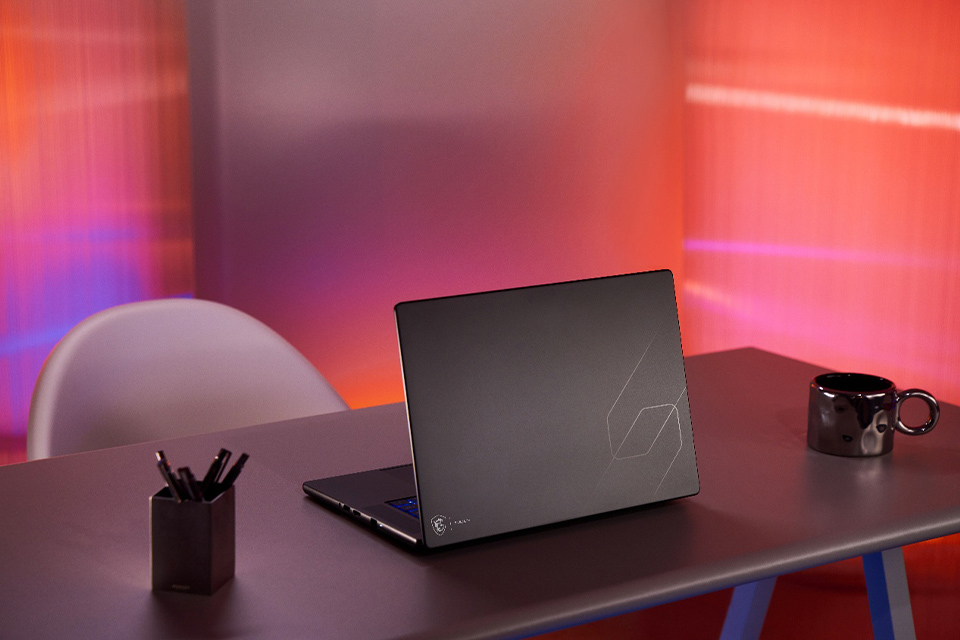
▲ The MSI Prestige 16 AI+ combines lightweight portability with premium productivity for students on the move.
The MSI Prestige Series is designed for students who want a premium balance of portability, battery life, display quality, and productivity performance. With slim and lightweight designs, the series is well suited for college students who regularly move between classrooms, libraries, cafés, internships, and study spaces, while still wanting a laptop that feels refined and capable for everyday schoolwork.
For students who prefer a traditional clamshell laptop, the Prestige 16 AI+ is a strong Back-to-School choice. Its spacious 16-inch OLED touchscreen provides a vibrant and comfortable workspace, combining sharp visual quality with the convenience of touch input for smoother navigation, scrolling, and interaction with apps, documents, and presentations. Beyond everyday productivity, it is also well suited for modern AI-driven workflows such as using AI assistants for research, summarization, coding support, and “vibe coding” workflows, as well as working with AI agents for automation, content generation, and project development. The slim and lightweight design makes it easy to carry throughout the day, while long battery life and strong performance make it particularly suitable for students who want a larger premium display without the extra size and weight of a traditional gaming laptop.
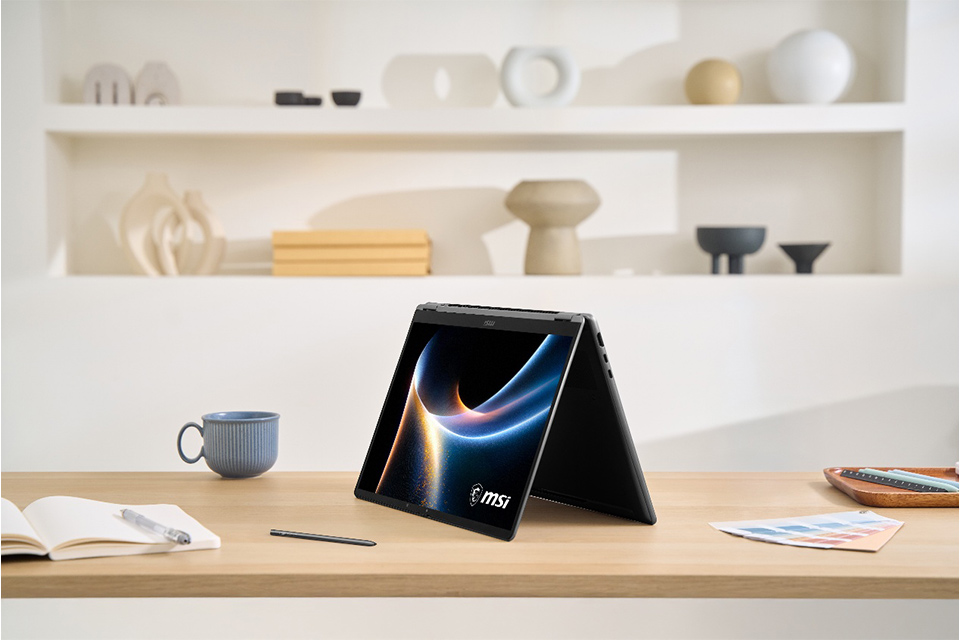
For students who want greater flexibility, the Prestige 14 / 16 Flip AI+ models add a 360-degree convertible design that allows the laptop to switch between laptop, tablet, stand, and tent modes. This makes them especially useful for classroom presentations, group discussions, note-taking, and sharing ideas on the go. With MSI Nano Pen support, students can also take handwritten notes, annotate lecture slides, or sketch diagrams directly on the screen, which can be especially useful for design, architecture, and other brainstorming-heavy courses.
Across the lineup, the Prestige Series combines high-quality displays, long battery life, portability, and flexible productivity features, making it a strong fit for note-taking, research, presentations, content consumption, light creative work, AI-assisted workflows, and extended study sessions.
Choose the Prestige Series when mobility, premium design, display quality, and everyday productivity matter more than dedicated gaming performance.
▲ Prestige 14 / 16 Flip AI+ combines a 360° flip design and MSI Pen support for more flexible studying, presenting, and note-taking.
MSI Cyborg Series: Best for Everyday Gaming
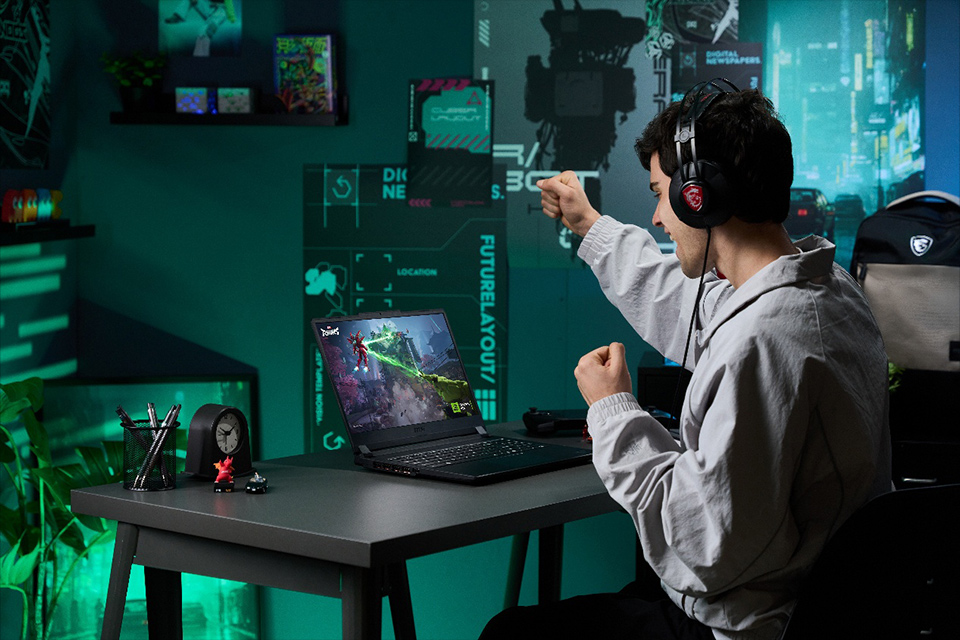
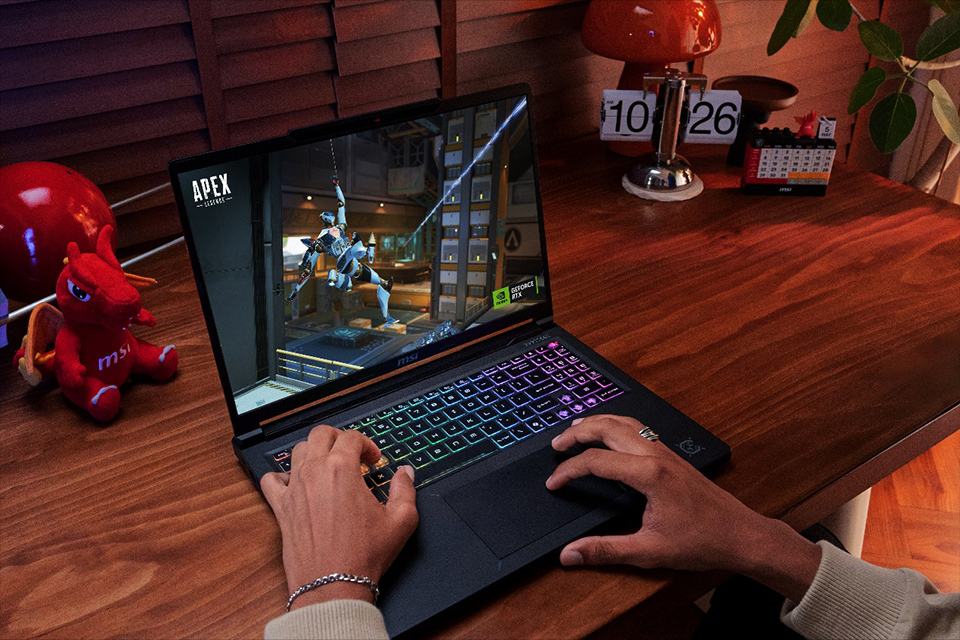
▲ The MSI Cyborg Series is designed for students who want one laptop for classes, everyday gaming, and creative projects.
The MSI Cyborg 15 Series is a practical choice for students looking for an affordable gaming laptop that can handle both schoolwork and gaming. For students focused on value, the Cyborg 15 C13W with NVIDIA GeForce RTX 5050 Laptop GPU offers an accessible entry into RTX 50 Series gaming, with dedicated graphics performance for popular games, creative applications, and everyday schoolwork.
Students who want additional graphics performance can step up to the Cyborg 15 C2W with NVIDIA GeForce RTX 5060 Laptop GPU, making it better suited for more demanding games, heavier creative workloads, and GPU-accelerated applications while still maintaining the portable, student-friendly design of the Cyborg Series.
The dedicated NVIDIA RTX graphics also make the Cyborg 15 useful for students exploring AI-powered applications. It can accelerate tasks such as AI-assisted photo and video editing, image generation, coding tools, transcription, and other creative or productivity software that takes advantage of GPU acceleration. For students studying computer science, design, engineering, or digital media, the additional GPU performance can also provide more flexibility for experimenting with local AI tools and other compute-intensive projects alongside everyday coursework.
Both models feature a 15.6-inch FHD 144Hz display, with configurations offering 100% sRGB coverage for smooth gameplay and vibrant visuals across gaming, streaming, and light content creation. At around 4.37 lbs, the Cyborg 15 is also relatively lightweight for a gaming laptop, making it easier to carry between classes, dorms, libraries, and study spaces. Its redesigned cooling solution uses a larger fan and optimized airflow to help maintain efficient performance during longer gaming sessions and demanding workloads.
Choose the Cyborg 15 C13W with RTX 5050 when affordability and everyday gaming performance are the priority, or step up to the Cyborg 15 C2W with RTX 5060 for stronger graphics performance across gaming, creative software, AI-accelerated applications, and more demanding student workloads.
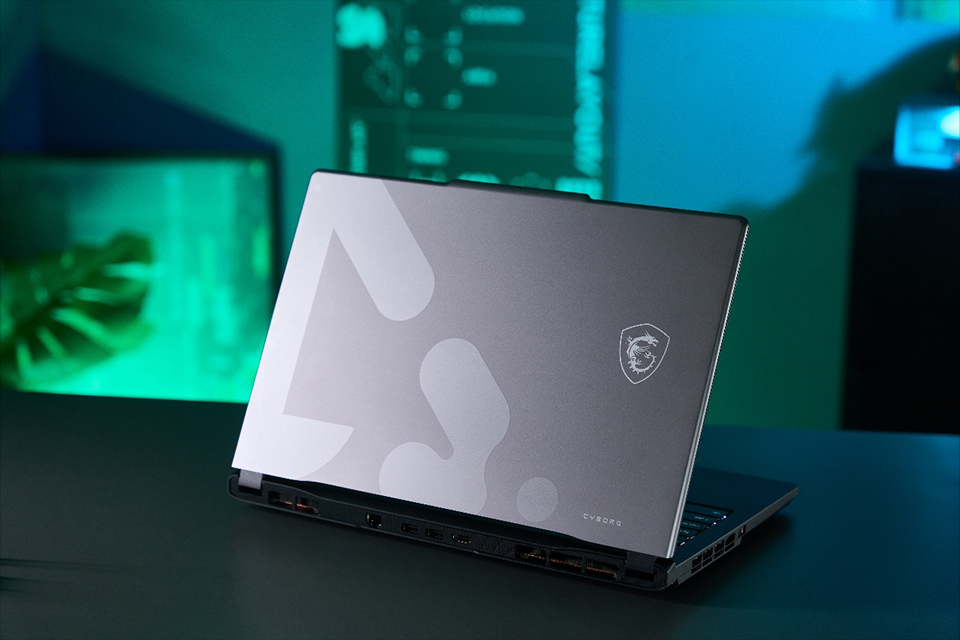
▲ The Cyborg 15 Series combines redesigned dual-fan cooling and a 100% sRGB display for smoother gaming and more vibrant visuals.
MSI Crosshair Series: Best for Advanced Gaming and Creative Work
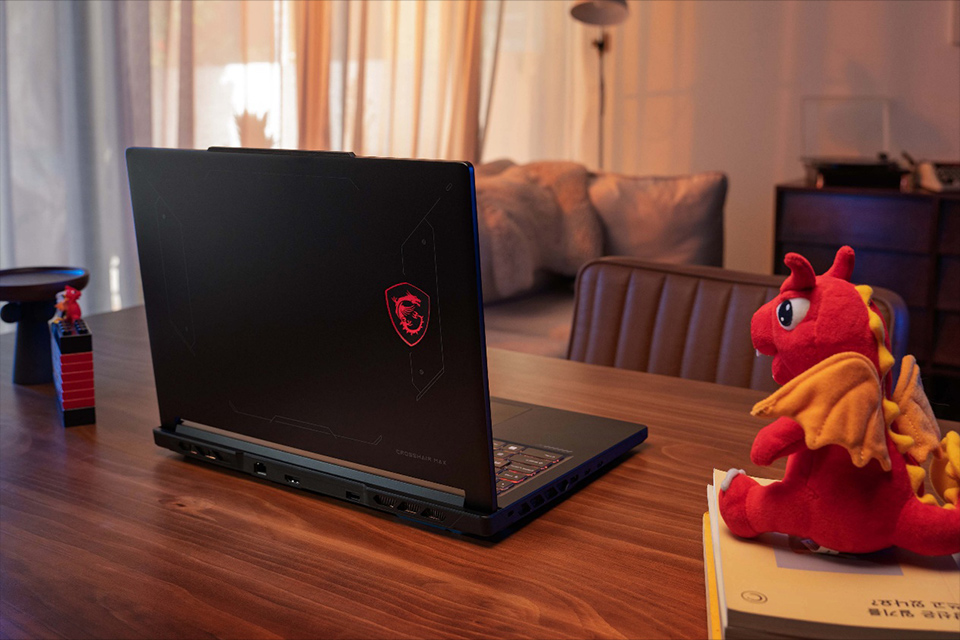
▲ The MSI Crosshair Series is built for students who need stronger performance for gaming, content creation, engineering, and AI workflows.
The MSI Crosshair Series is designed for students who need stronger sustained performance for modern gaming, video editing, CAD, 3D applications, game development, engineering software, and local AI workflows.
Students can choose between Intel- and AMD-powered configurations depending on their workload and platform preference. The Crosshair 16 Max HX is equipped with up to an Intel® Core™ Ultra 9 290HX processor, NVIDIA® GeForce RTX™ 5070 Laptop GPU, and up to 200W of Total System Power, making it well suited for demanding workloads that place sustained pressure on both the CPU and GPU.
The Crosshair A16 HX provides a similarly performance-focused option built around up to an AMD Ryzen™ 9 8940HX processor and NVIDIA® GeForce RTX™ 5070 Laptop GPU, with up to 190W of total power. Its combination of a high-core-count processor, dedicated RTX graphics, and enhanced cooling makes it particularly useful for students working with 3D rendering, video production, game engines, engineering applications, and other compute-intensive projects. The RTX GPU can also accelerate AI-powered creative tools, image generation, coding and development workloads, and local AI applications that benefit from dedicated GPU resources.
Total System Power refers to the total power budget that can be dynamically allocated to the processor and graphics card during demanding workloads. A higher power budget can allow both components to sustain stronger performance for longer periods, helping improve frame rates, shorten rendering times, and provide smoother performance in demanding games, creative applications, engineering software, and AI workloads. While laptops with similar CPU and GPU configurations may operate at lower power limits, Crosshair models are engineered to provide additional performance headroom when workloads become demanding.
Display quality is another strength of the series. The Crosshair A16 HX features a 16-inch QHD+ 240Hz display with 100% DCI-P3 color coverage, providing sharp detail, smooth motion, and a wider color range for gaming, video editing, 3D work, and visual content creation. Its improved cooling system is also designed to maintain stable performance through extended gaming, rendering, and AI workloads.
This makes the Crosshair Series particularly suitable for students who need more than entry-level graphics performance but do not necessarily need the cost or size of a flagship gaming laptop.
Choose the Crosshair Series when demanding applications such as gaming, video editing, CAD, 3D rendering, game development, or local AI are part of your regular workload rather than an occasional task.
▲ Crosshair 16 Max HX combines powerful performance with a QHD+ OLED display, making demanding projects and AAA gaming feel equally immersive.
MSI Stealth Series: Designed for Work and Play
▲ The MSI Stealth Series is designed for students who want gaming-class powerful performance in a sleek, lightweight laptop for both work and play.
The MSI Stealth Series is designed for students who need strong performance but prefer a more understated, portable, and versatile laptop.
The Stealth 16 AI+ is a clear example. Its slim 16.65mm full-metal chassis gives it a refined appearance that fits naturally in classrooms, libraries, cafés, co-working spaces, or while moving between classes on campus. These environments make it especially practical for students who study in different places throughout the day.
Configurations with up to an NVIDIA® GeForce RTX™ 5080 Laptop GPU provide the performance required for gaming, content creation, and AI-powered applications. Its 2.5K 240Hz OLED display with Delta E ≤ 1 color accuracy delivers both smooth gameplay and highly accurate color reproduction, making it well suited for photography, graphic design, video editing, and other color-sensitive creative work.
A 90Whr battery and fast charging further improve mobility, making it easier to work during long study days without constantly searching for a power outlet.
Choose Stealth series when you want gaming-class performance in a laptop that is easy to carry, visually understated, and flexible enough to use comfortably in both academic and casual study environments.
▲ Stealth 16 AI+ combines a slim full-metal design, a 2.5K 240Hz OLED display, and long battery life for productivity, creativity, and gaming.
MSI Raider Series: Best for Maximum Performance
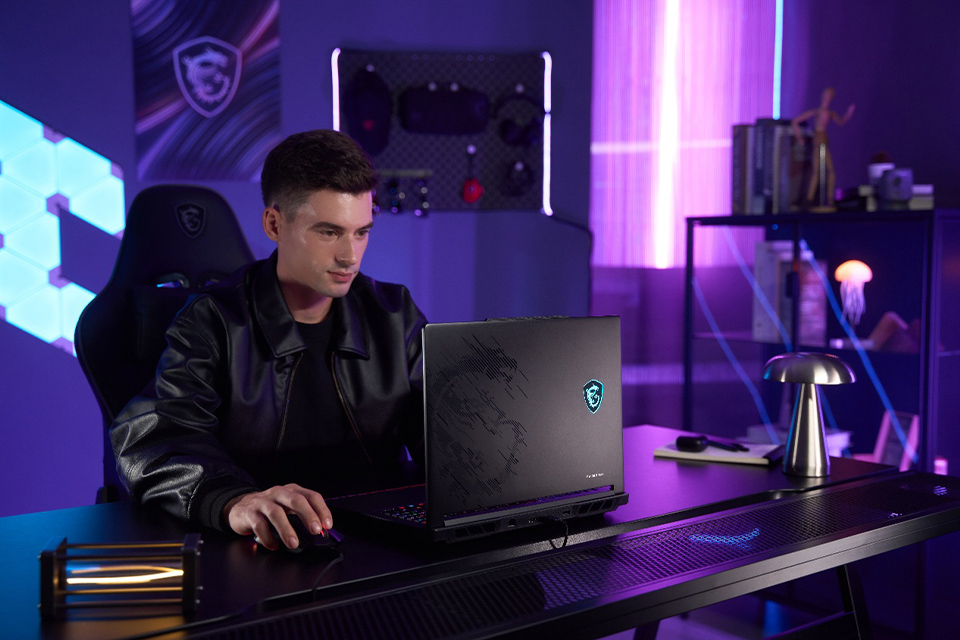
▲ The MSI Raider Series is built for students who need uncompromising performance for AAA gaming, professional content creation, and AI workloads.
The MSI Raider Series is designed for demanding workloads such as high-end gaming, complex 3D rendering, professional content creation, advanced local AI, and heavy multitasking.
The Raider 16 Max HX delivers up to 300W of total system power within a more versatile 16-inch form factor—an exceptionally high power budget that is rarely seen even among many larger 18-inch gaming laptops. This gives the CPU and GPU greater performance headroom for demanding games, rendering, content creation, and local AI workloads. Its redesigned internal layout also creates more space for an advanced cooling system featuring three fans, six heat pipes, and five exhaust vents.
This design helps the system sustain higher performance during extended gaming, rendering, and creator workloads. Larger fans also improve airflow while operating at lower speeds, helping reduce noise during longer sessions.
The Raider 16 Max HX is also designed to remain useful as your needs grow. As AI models become larger or coursework requires more storage, the Quick Access Panel makes it easier to upgrade memory and SSD storage, allowing the laptop to adapt to different stages of study and demanding future workloads.
Despite its desktop-replacement performance, the optimized chassis is easier to fit into backpacks and travel bags than larger flagship systems.
Choose the MSI Raider Series when CPU and GPU performance are your highest priorities, and you want an upgradeable system that can support increasingly demanding workloads over time.
▲ Raider 16 Max HX combines up to 300W of total system power with MSI Cooler Boost Trinity to sustain peak performance under demanding workloads.
Final Recommendation
The best student laptop isn't necessarily the one with the highest specifications—it's the one that fits your coursework, daily routine, and long-term needs.
Before making your decision, consider these key questions:
Performance: Can it comfortably handle the applications you use most often?
Portability: Will it be comfortable to carry between classes, libraries, and dorms?
Battery Life: Can it last through a typical day of classes without constantly searching for a power outlet?
Display and Usability: Is the screen size, keyboard, and overall user experience right for the way you study?
Longevity: Will it continue to meet your needs throughout college?
Graphics: Do your coursework, creative projects, gaming, or AI applications benefit from a dedicated GPU?
Memory: Do you have enough RAM for both your current and future workloads?
Storage: Will your SSD provide enough space for applications, projects, and files over the next few years?
Once you've answered these questions, choosing the right MSI laptop becomes much easier:
Modern Series – Everyday schoolwork and productivity
Prestige Series – Premium portability and flexible productivity
Cyborg Series – Schoolwork, everyday gaming, and creative projects
Crosshair Series – Gaming, engineering, content creation, and AI workloads
Stealth Series – Portable performance for work, creativity, and AAA Gaming
Raider Series – Maximum performance for advanced AAA Gaming, Professional creation, and local AI
Rather than choosing the laptop with the highest specifications, choose the one that best supports the way you learn, create, and grow throughout your college journey.
Frequently Asked Questions
What is the best laptop for students?
The best MSI laptop depends on how you plan to use it.
Modern Series – Everyday schoolwork, online classes, and productivity.
Prestige Series – Premium portability, note-taking, presentations, and all-day productivity.
Cyborg Series – Schoolwork, everyday gaming, and entry-level creative projects.
Crosshair Series – Gaming, engineering, creative software, and AI workloads.
Raider Series – Maximum performance for advanced gaming, professional creation, and local AI.
Do students need a gaming laptop?
Not always. Students who mainly use web browsers, office applications, and online learning can choose a productivity laptop such as the MSI Modern or Prestige Series. If you regularly play games or use creative applications such as video editing, CAD, 3D modeling, or AI tools, a gaming laptop with dedicated graphics is the better choice.
Is a 14-inch or 16-inch laptop better for college?
A 14-inch laptop is ideal for students who carry their laptop between classes every day, while a 16-inch laptop provides a larger display for multitasking, creative work, and gaming. Choose based on whether portability or screen space is your higher priority.
Is 16GB of RAM enough for students?
Yes. 16GB of RAM is sufficient for most students using productivity software, research tools, web browsers, and online learning platforms. Students working with video editing, 3D software, virtual machines, or local AI applications should consider 32GB or more.
Is 512GB of SSD storage enough for school?
For most students, 512GB provides enough space for documents, applications, and everyday coursework. If you frequently install large games, edit videos, or store creative projects, a 1TB SSD offers more flexibility.
When should I choose a laptop with dedicated GPU?
A laptop with dedicated graphics is recommended for students who regularly use video editing software, CAD, 3D rendering, game development tools, creative applications, modern games, or GPU-accelerated AI workloads.
Can one laptop handle both schoolwork and gaming?
Yes. Models such as the MSI Cyborg, Crosshair, Stealth, and Raider Series are designed to balance productivity with gaming performance. The right choice depends on how much performance you need and how important portability is to your daily routine.
Where can I find the latest Back-to-School laptop deal?
Check out the latest MSI Laptop Deal for Back-to-School offers on laptops for everyday productivity, note-taking, OLED touchscreen use, gaming, content creation, coding, CAD, 3D work, engineering, and local AI workloads.
From lightweight Prestige laptops to RTX-powered Cyborg and Crosshair models, MSI offers options for different student needs, performance levels, and budgets.
Visit the latest MSI Laptop Deals page to compare current Back-to-School promotions and find the laptop that best matches how you study, create, play, and work.